Markaz POS
Download
Now in 0.3Restaurant, wholesale, bakery & butcher, solar energy, large warehouses

Offline-first POS + accounting for every kind of store

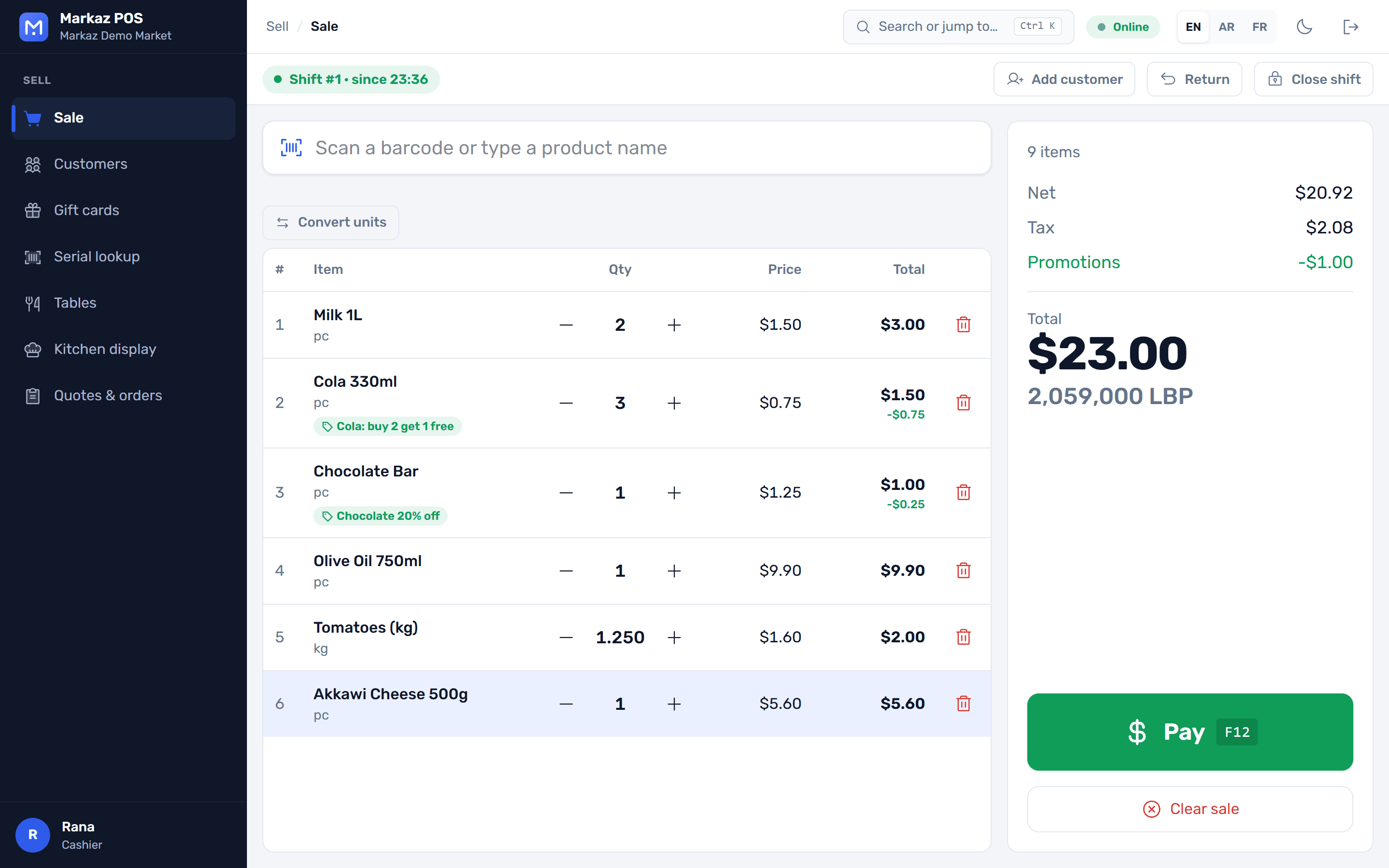
Sell, manage stock and keep real double-entry books in one Windows app. Every till keeps selling when the internet or the server drops, and your data stays on your own computer.
  • No card needed
  • Windows 10 and 11
  • English · العربية · Français
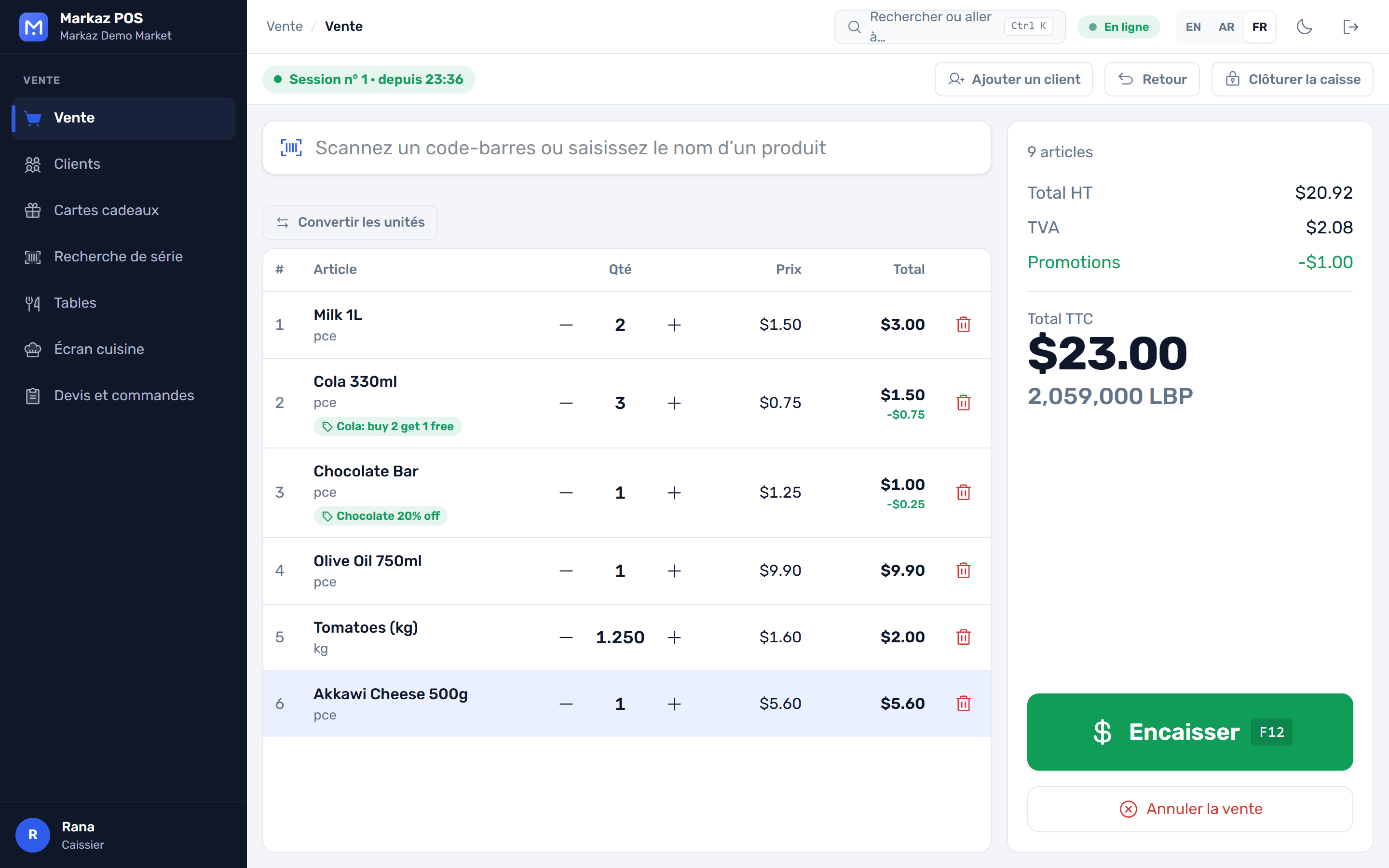
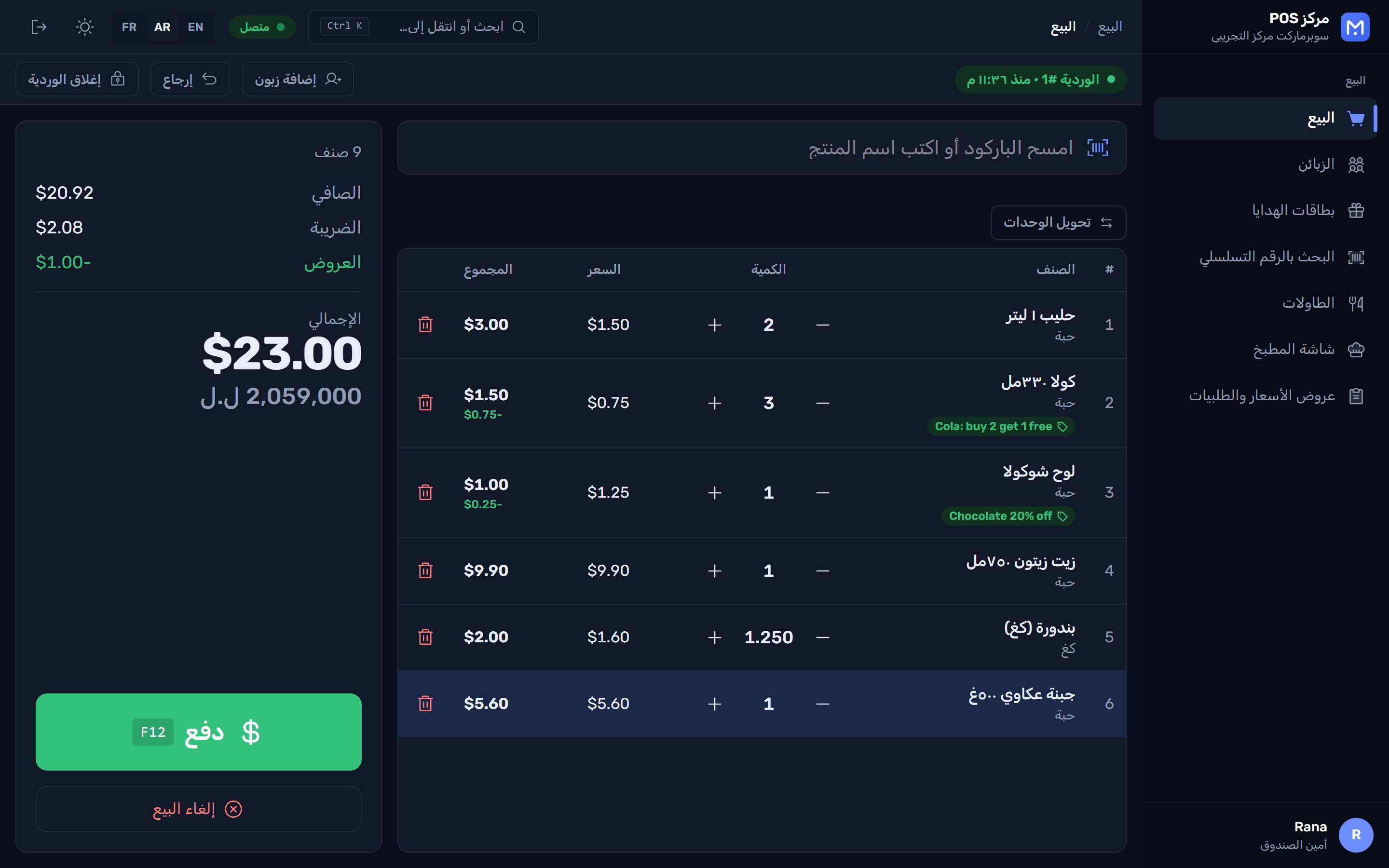
The Markaz POS sale screen: items in the basket, the total in two currencies, and a large Pay button شاشة البيع في مركز POS بالعربية مع الوضع الداكن L’écran de vente Markaz POS en français
Offline · 2 sales waitingThey sync when the server is back
  • Keeps selling offline
  • Double-entry accounting built in
  • 3 languages, full right-to-left
  • Automatic daily backups
  • Your data stays on your PC
  • Installs without admin rights
What's inside

Everything a store runs on, in one app

No separate accounting package and no monthly cloud bill to keep the tills alive. Install it on one PC or on every till in the store.

Checkout

Fast at the till, even on the busiest day

Built for the keyboard and the scanner, so the queue keeps moving.
  • Scan anythingBarcodes, search by name, price and weight labels from the scale, and box barcodes that sell a whole pack.
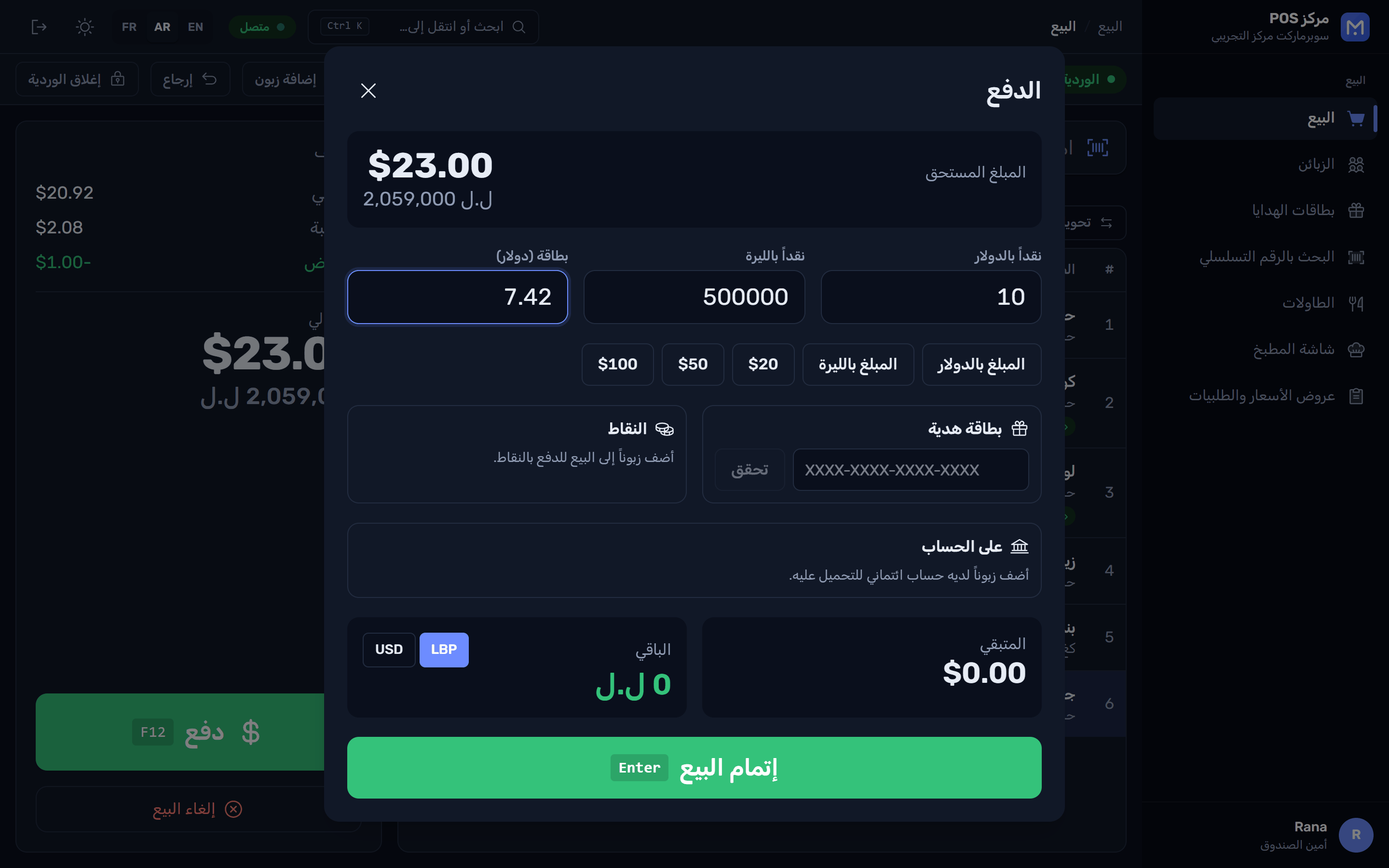
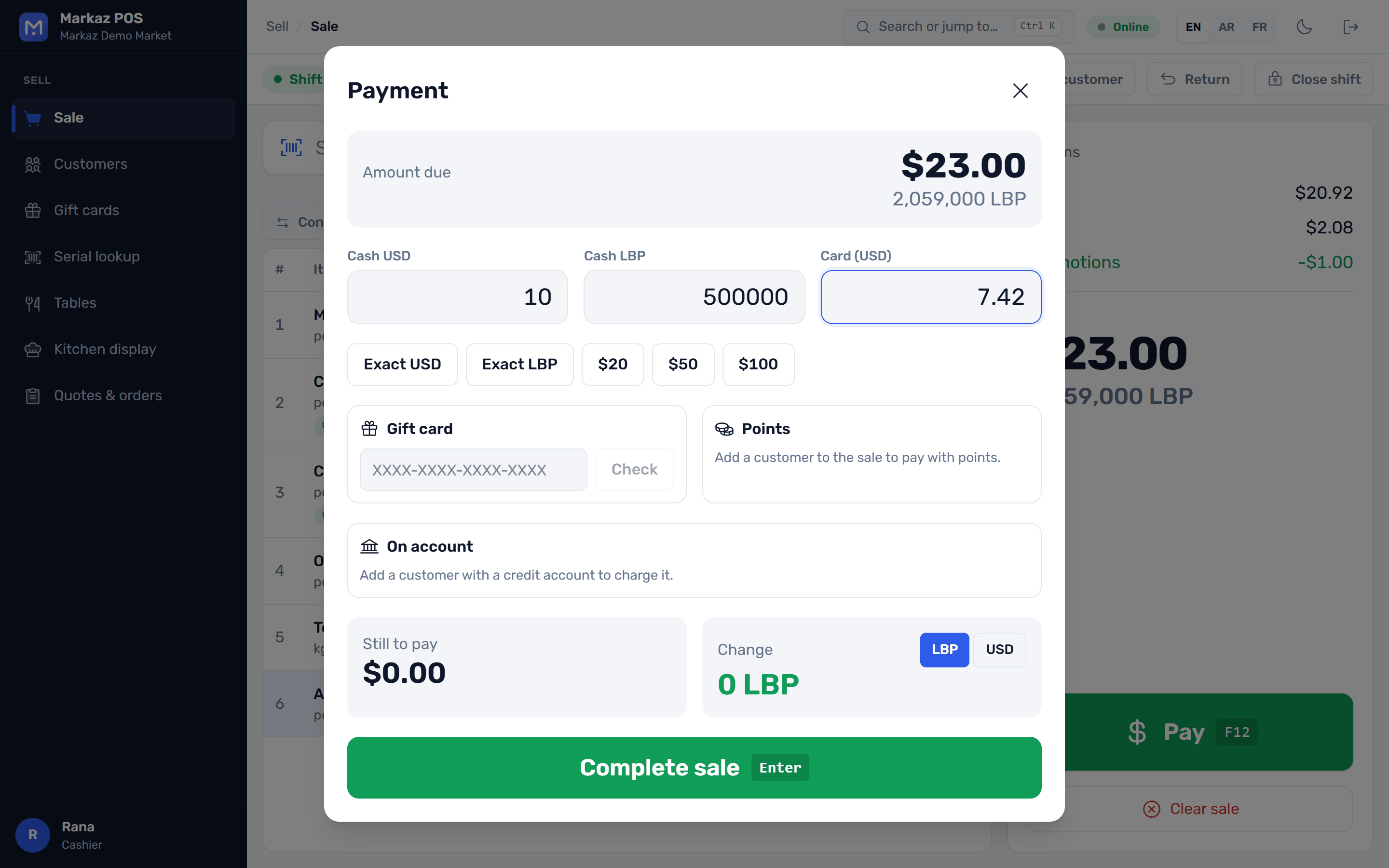
  • Several tenders and currenciesCash in two currencies, card, gift card and points in one sale, with change given in either currency.
  • Promotions apply themselvesBranch promotions are applied at the till, offline too, and every discount stays inside the cashier's limit.
  • Clean refundsMoney goes back to the original tenders, with a manager's approval.
The payment window: one sale split between cash in two currencies and a card, with the change shown نافذة الدفع بالعربية: عملية واحدة مقسّمة بين النقد بعملتين والبطاقة
Offline first

The till never waits for the network

Made for places where power and internet come and go.
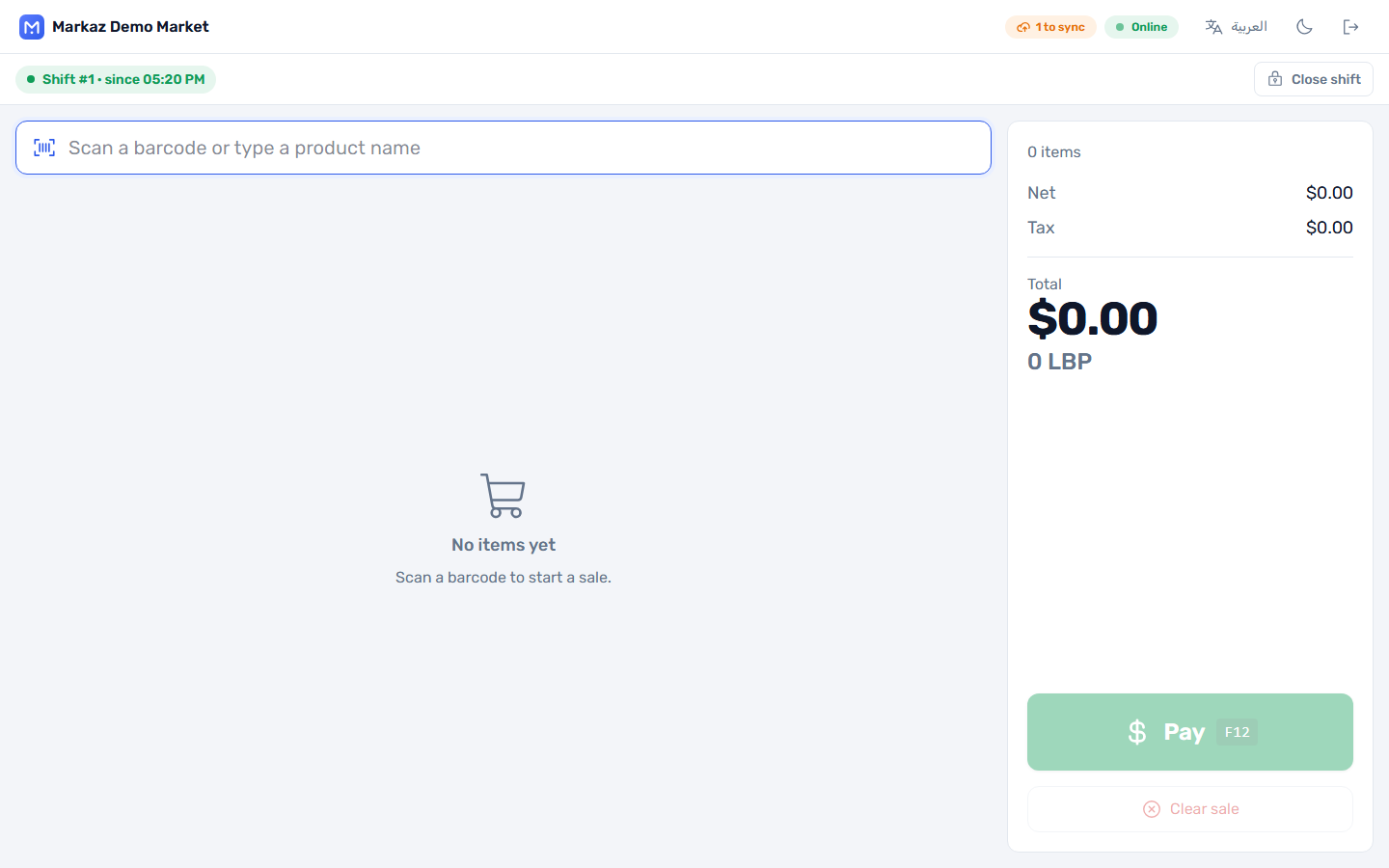
  • Database built inOn a single PC the store database runs inside the app. No server and no internet.
  • Sales wait, then syncOn a store network, sales made while the server is down wait on the till. A chip shows how many, and they go out on their own.
  • Checked twiceThe server recalculates every sale with the same engine as the till. A sale sent twice is recorded once.
The sale screen with a '1 to sync' chip next to the connection indicator
Accounting

Real double-entry books, kept for you

Every sale, receipt and count posts itself. Your accountant gets proper reports, not a spreadsheet.
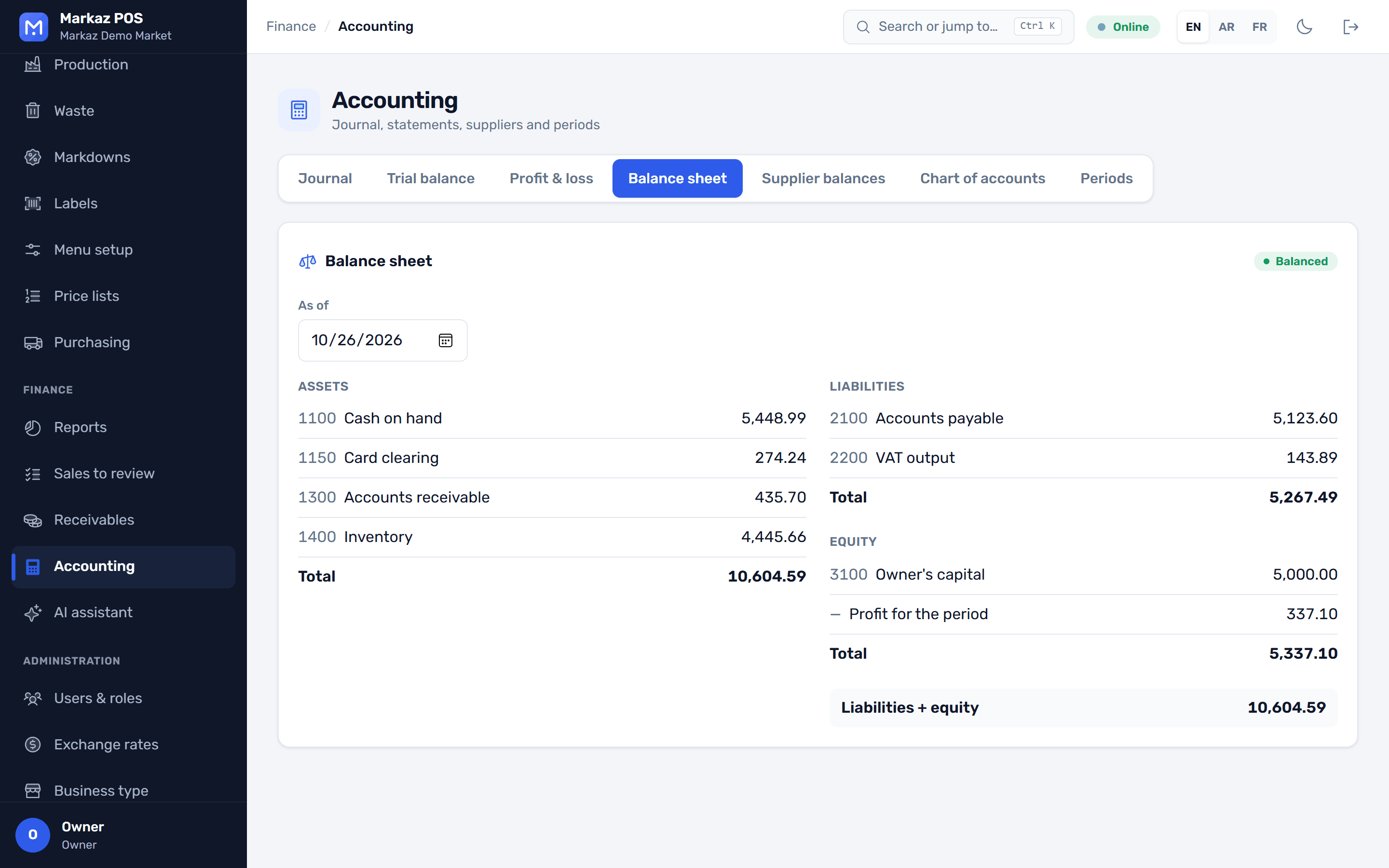
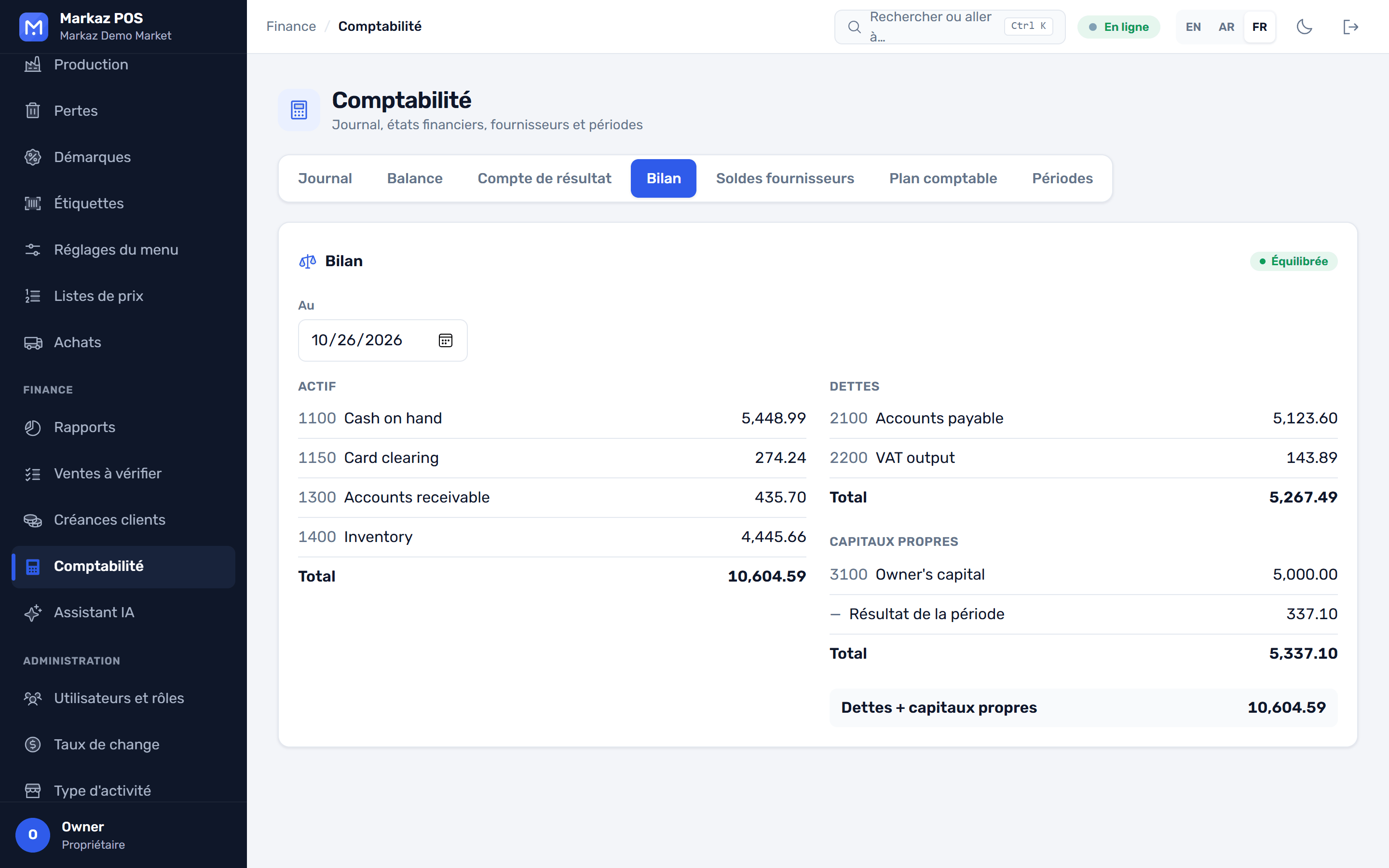
  • IFRS chart of accountsSales, goods received, stock counts and shift over or short post automatically.
  • The statements you needJournal, trial balance, profit and loss, balance sheet, supplier balances and period close.
  • Multi-currencyTrade in any currency. Set rates by hand or fetch them live, with approval for large jumps.
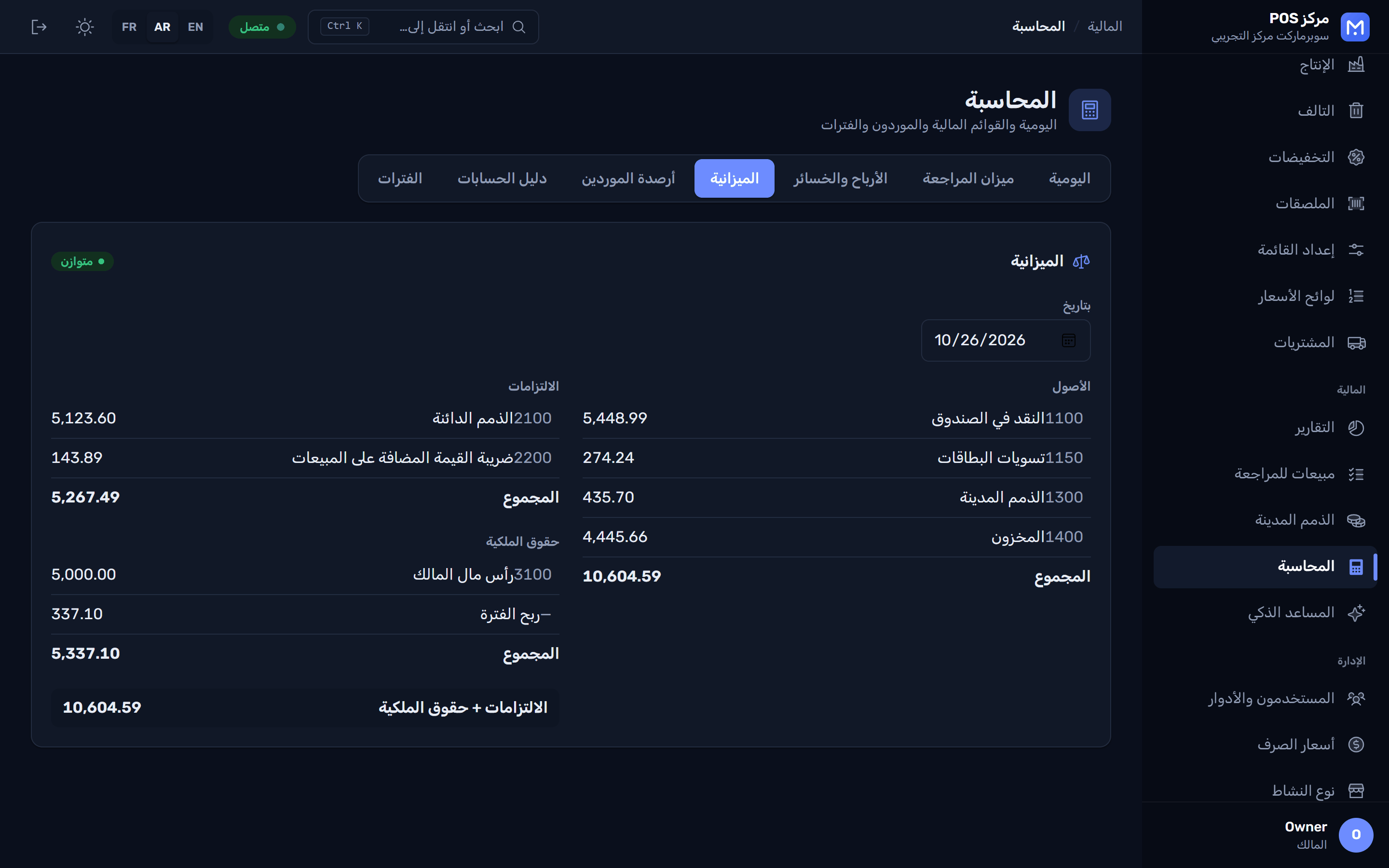
Balance sheet with assets, liabilities and equity الميزانية العمومية بالعربية مع الوضع الداكن Le bilan en français : actifs, passifs et capitaux propres
Stock and reports

Know what sells, and what to reorder

Stock by warehouse and reports that answer real questions, from the till to the back office.
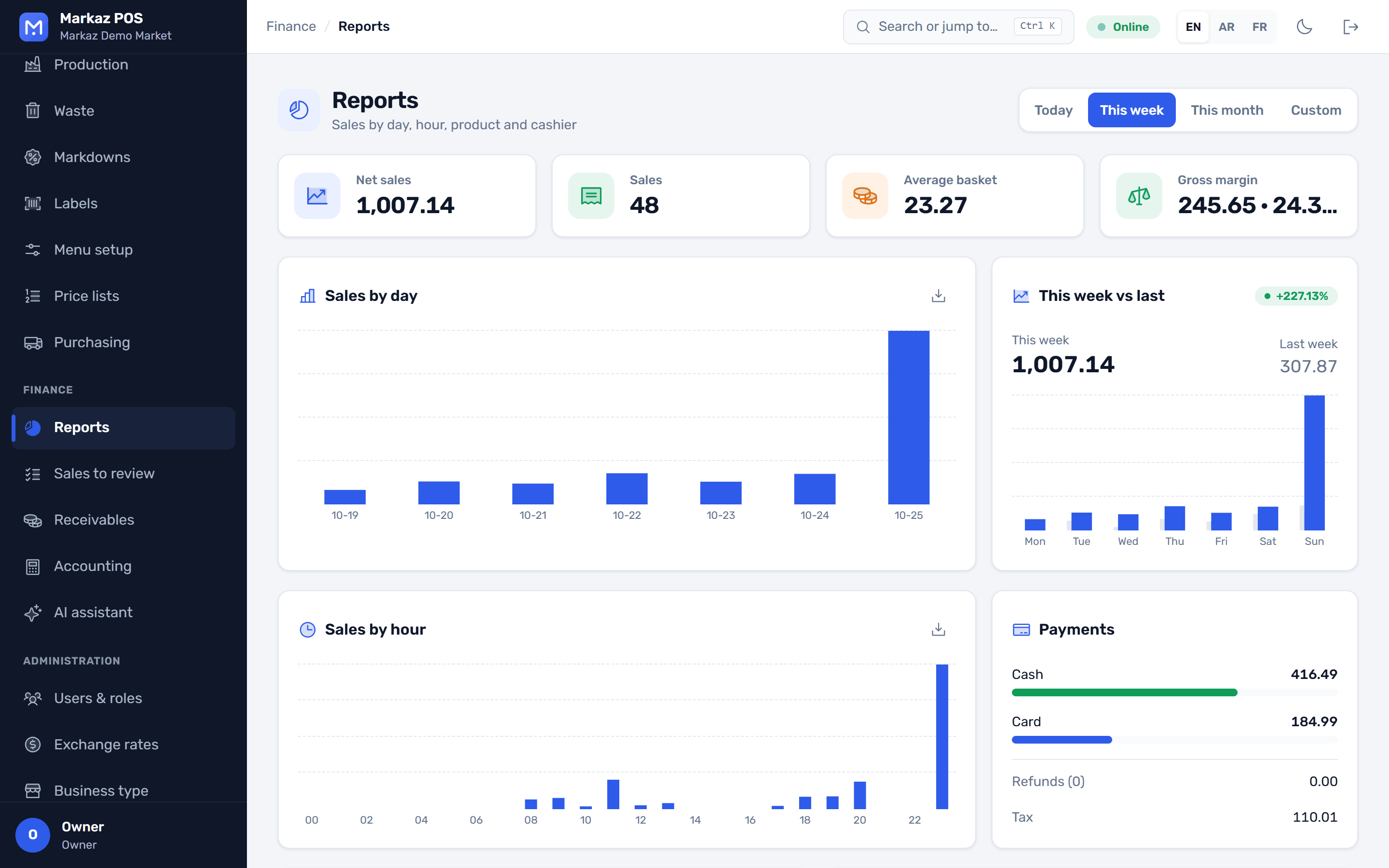
  • Stock and purchasingMin and max levels with reorder suggestions, blind counts, adjustments with reasons, transfers, and purchase orders with approval.
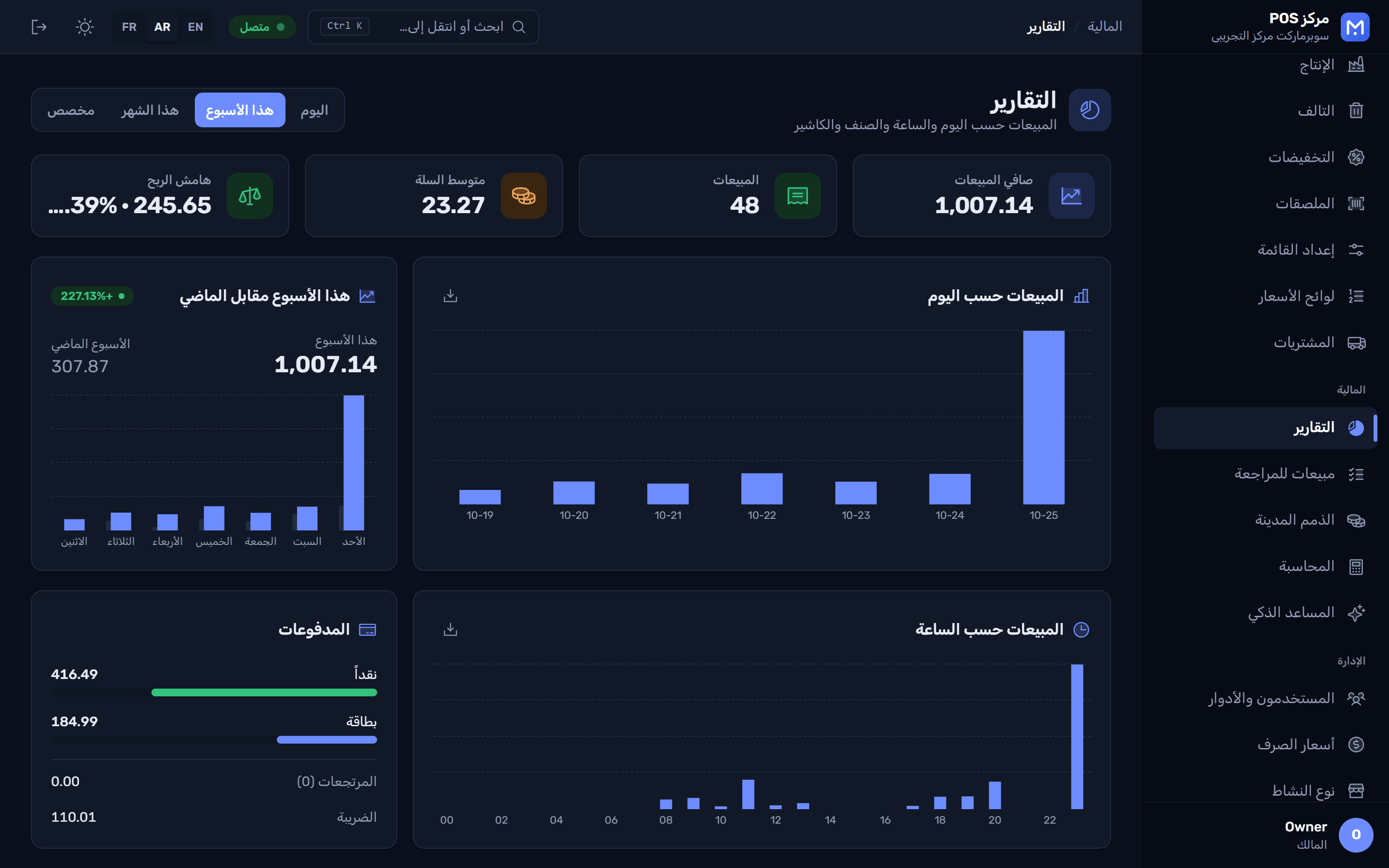
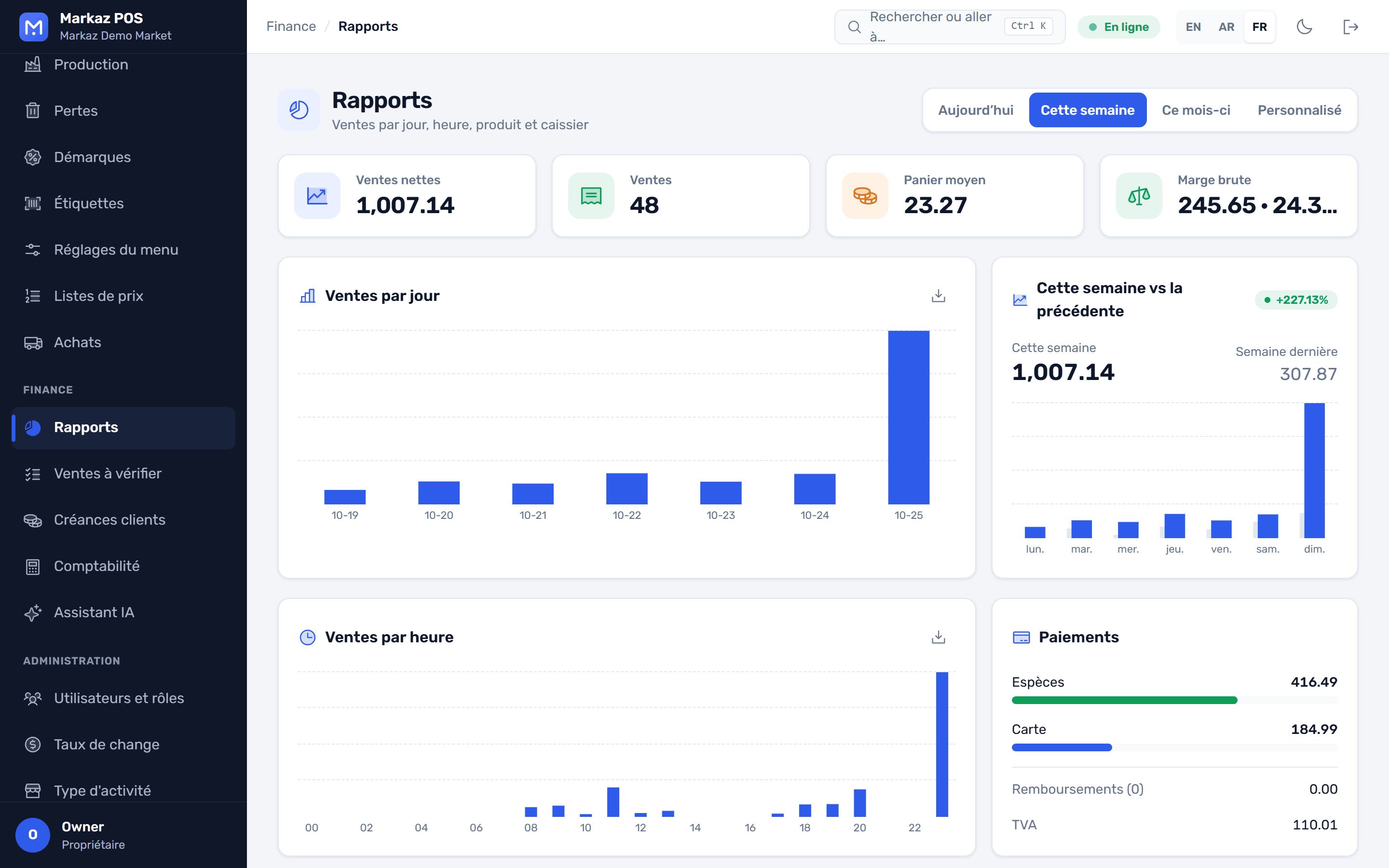
  • Sales reportsNet sales, average basket and gross margin. By day and by hour, this week against last, top products and cashiers.
  • Shift controlA Z report for every shift, cash counted per currency, and CSV export.
Reports: net sales, number of sales, average basket, gross margin and charts التقارير بالعربية مع الوضع الداكن Les rapports en français : ventes nettes, panier moyen, marge brute et graphiques
Your brand

Make every till look like your store

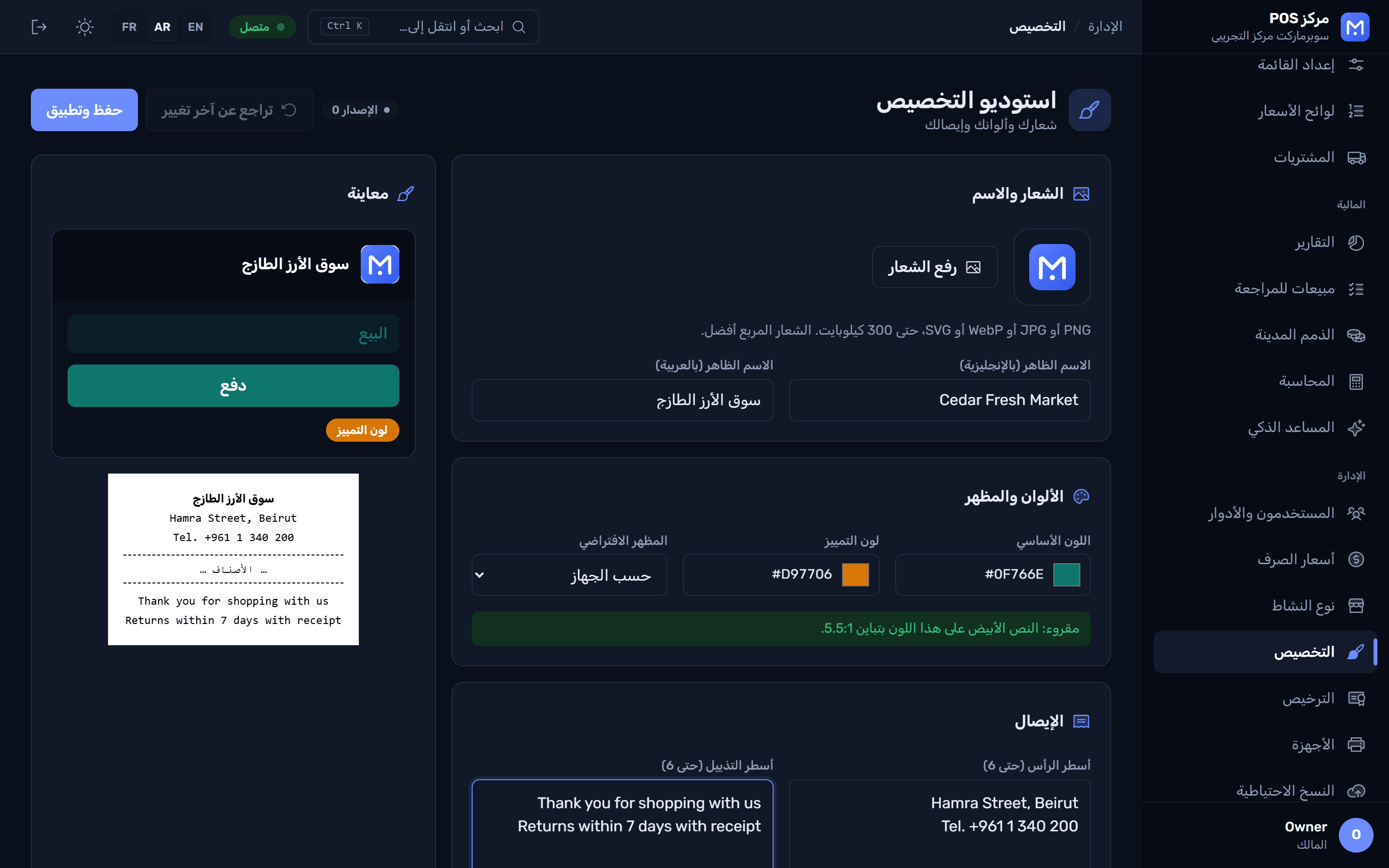
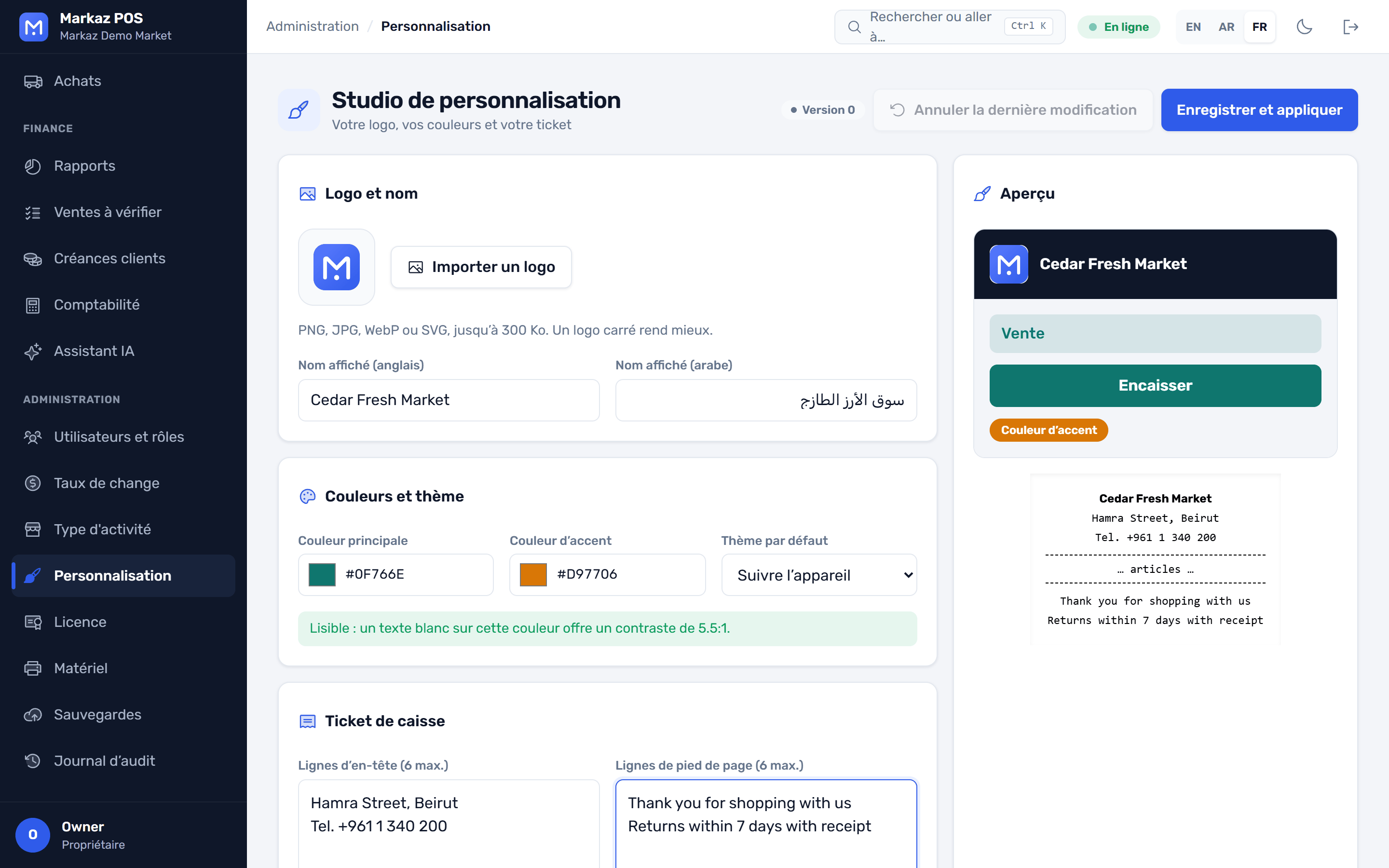
The Customization Studio changes the look of the app and the receipt, never your data.
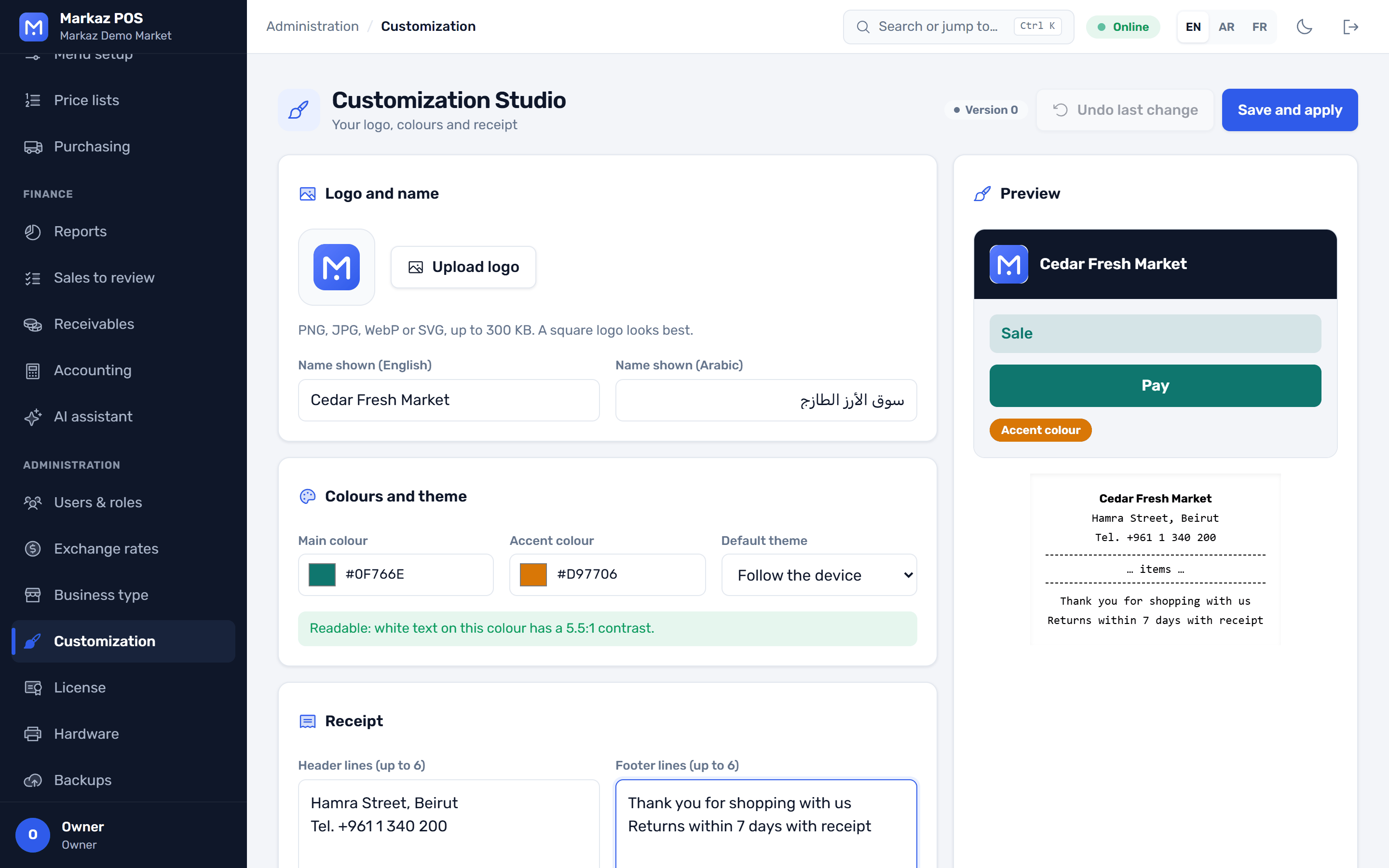
  • Logo and brand coloursPick a preset or your own colours. A contrast check keeps every screen readable, in light and dark.
  • Your receiptHeader, footer, tax number and logo, previewed before you save.
  • Every till at onceChanges reach every till in the store, and one click undoes them.
The Customization Studio: logo, brand colours with a contrast check, and a live preview استوديو التخصيص بالعربية مع الوضع الداكن Le Studio de personnalisation en français
And everything around it

Ready for the counter, the back office and your phone

POS hardware

Receipts print silently, with no print dialog. ESC/POS printers, a cash drawer that opens on payment, a customer display and a weighing scale.

AI assistant

Ask questions about your sales and stock, get reorder suggestions, and read a photo of a supplier invoice into a goods receipt. Optional, with your own AI key.

Promotions, loyalty and gift cards

Promotions per branch, customer points with a full history, and gift cards with balance checks, tied to the cashier's shift.

Several tills and branches

One PC acts as the store server and every till connects over your network. Branches, warehouses and stock transfers between them.

Mobile and waiter apps

A waiter app that sends table orders to the kitchen, price checks with the camera, stock counts without Wi-Fi, receiving goods, purchase order approvals and today's sales.

Backups and updates

A backup every day with the last 14 kept, an optional second folder, and one more when you close the app. Safe restore, and updates that download in the background.

Roles, limits and an audit log

Nine ready-made roles, from owner to cashier to auditor. Discount and refund limits for each role, and a tamper-evident log of every change.

Help built in

Press F1 on any screen to open the guide at the right chapter. Search it, with pictures, in English, Arabic and French, and it works offline.

English, Arabic and French

A full right-to-left layout for Arabic, product names in more than one language, and light and dark themes. Each user picks their own.

Business types

Set up for your trade in one step

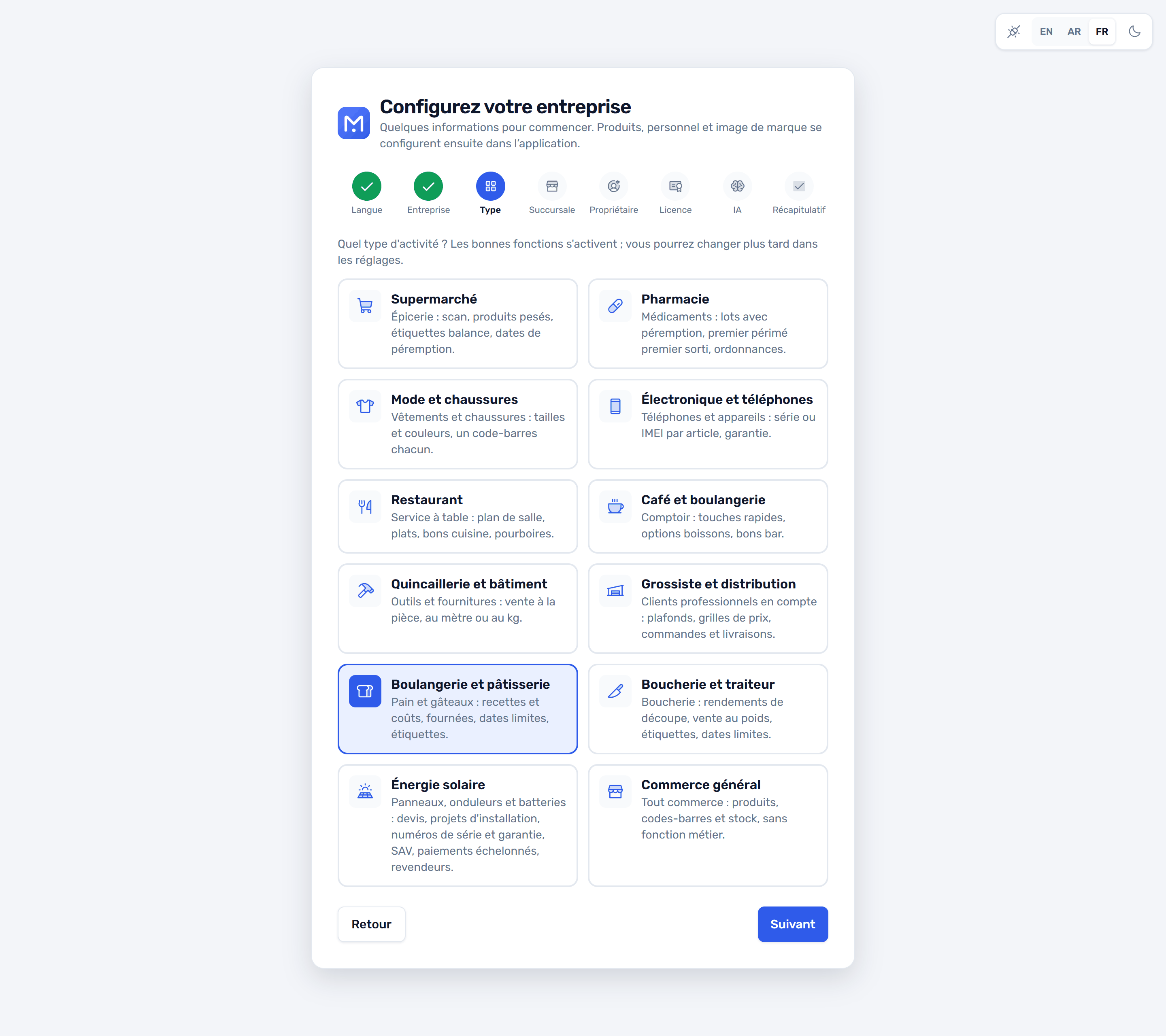
Pick your business type during setup. Markaz turns on the features, product fields, units and roles that trade needs, and you can still switch single features on or off later.
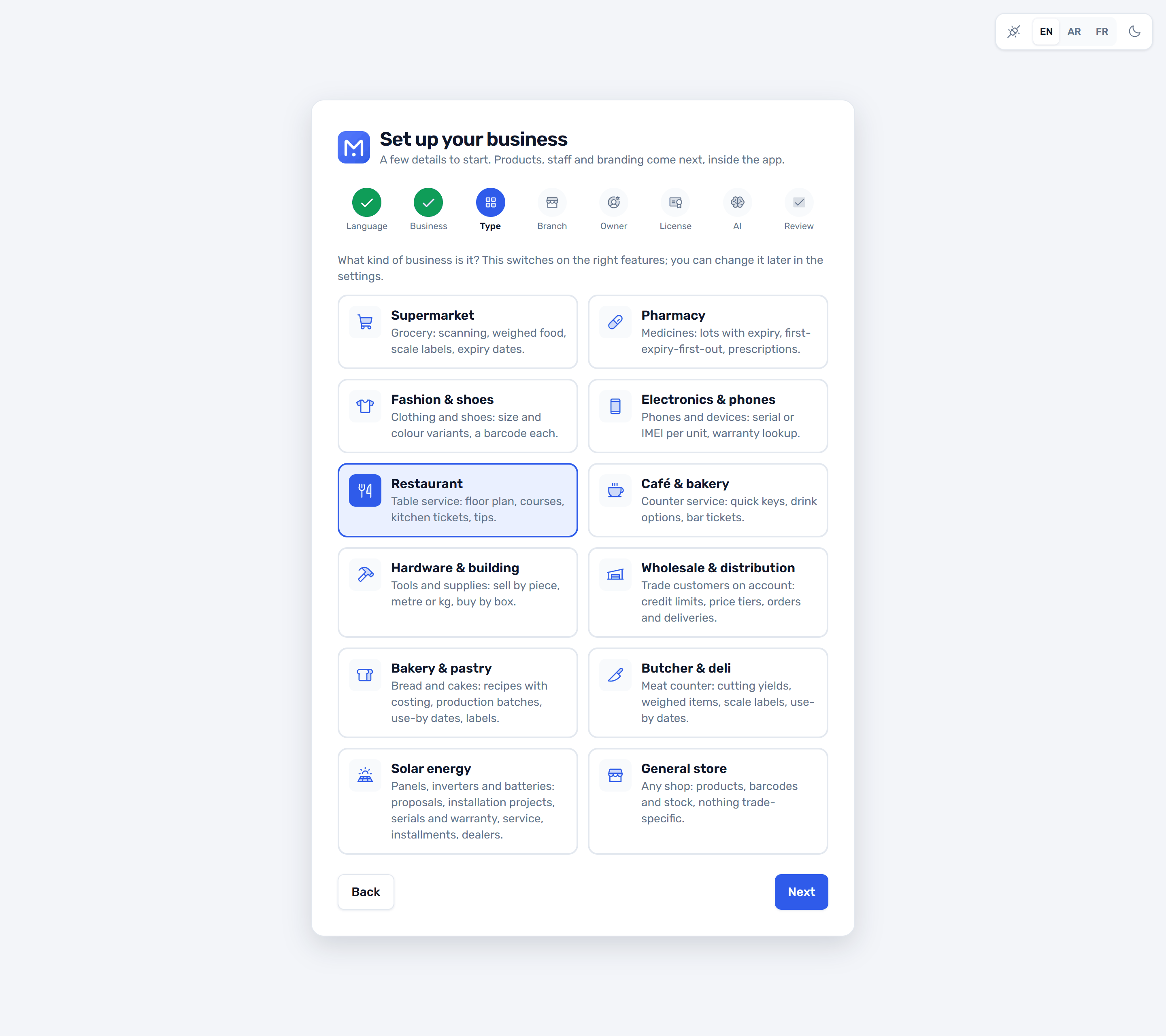
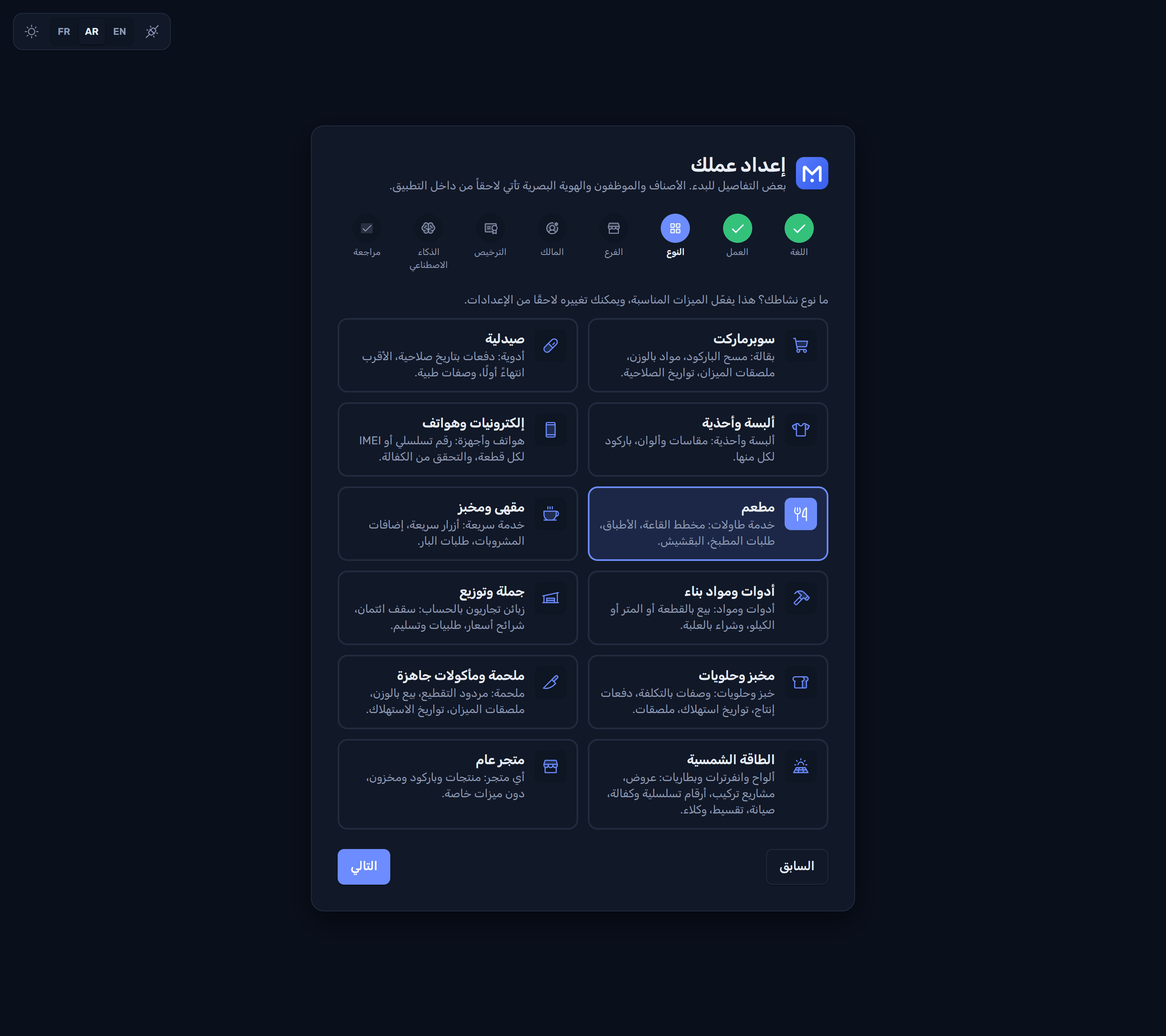
Setup: choosing the business type, with the features each type turns on الإعداد: اختيار نوع العمل بالعربية Configuration : choix du type de commerce en français

Available now

General retail

Products, barcodes, units, stock, purchasing and accounting for any shop. Every other type builds on it.

Supermarket and grocery

Fast scanning, weighed fresh food, scale labels, boxes and pieces, and dated lots.

Pharmacy

Lots with expiry dates, first-expiry-first-out (FEFO), an expiry report, sell by box or strip, prescription-only items.

Fashion and shoes

Styles with a size and colour matrix, and a barcode for every variant.

Electronics and phones

A serial number or IMEI for each unit sold, and warranty lookup by receipt or serial.

Restaurant and café

Tables and floor plan, a kitchen display, modifiers, split bills and a waiter app.

Wholesale and distribution

Customer credit accounts, receivables, quotes, sales orders and deliveries.

Hardware and building materials

Sell by length or area, and take deposits.

Bakery, butcher and deli

Recipes, production runs, yields and labels.

Solar energy

A system designer, proposals, installation projects, installments, service and RMA, dealers and bulk serials.

Large warehouses

Bins and putaway with bin labels, landed cost for imports, picking and packing with a scanner, and cycle counts with ABC.

Coming soon: being built now

Cloud for chainsSoon

One head office over many branches, with each store still selling offline.

Built for your trade

The screens your trade actually needs

Each business type adds its own screens on top of the till, stock and accounting. Here are six of them.

Expiry dates under control

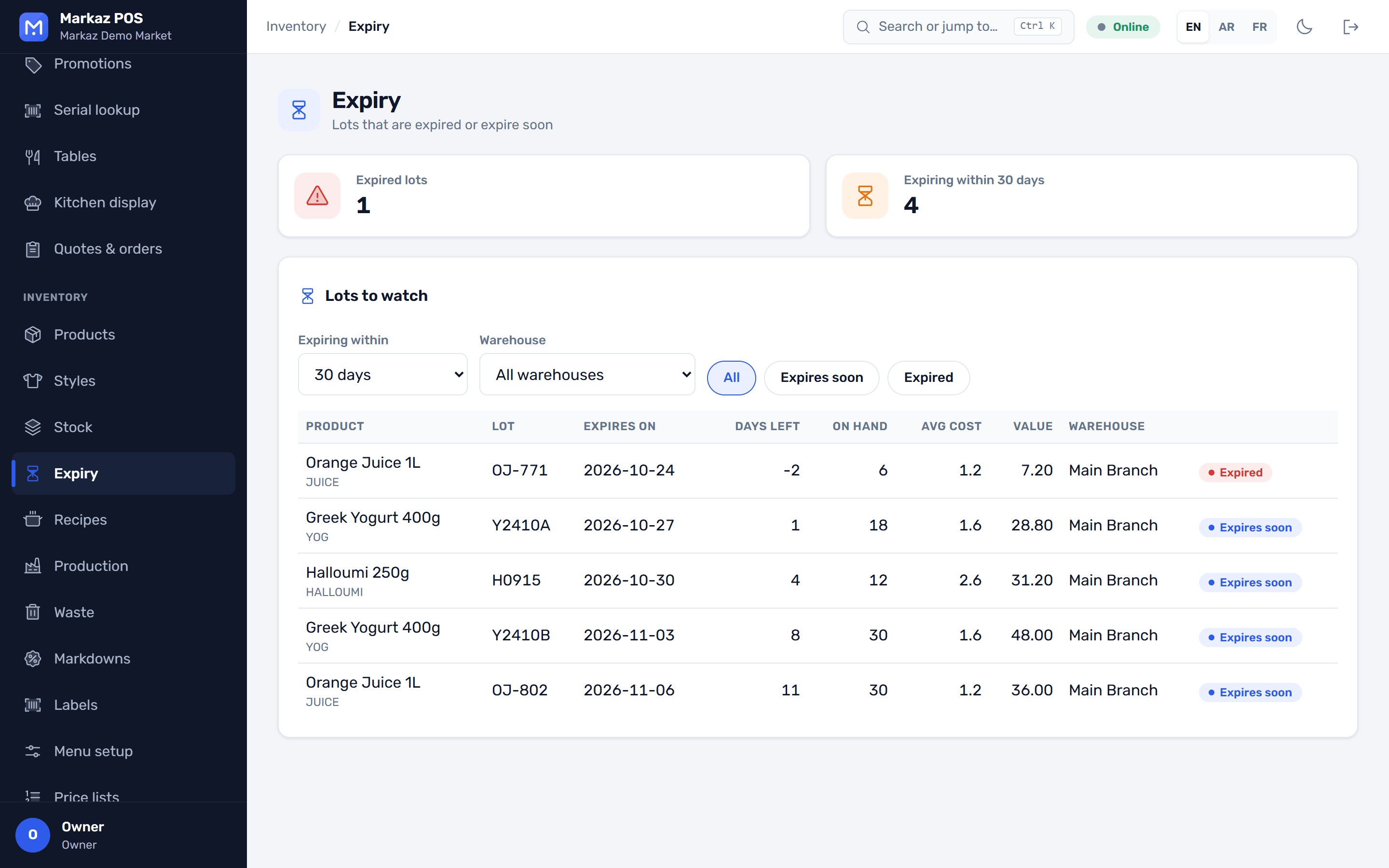
Every lot carries its expiry date. The till sells the earliest lot first, and the expiry report shows what to move before it is too late.
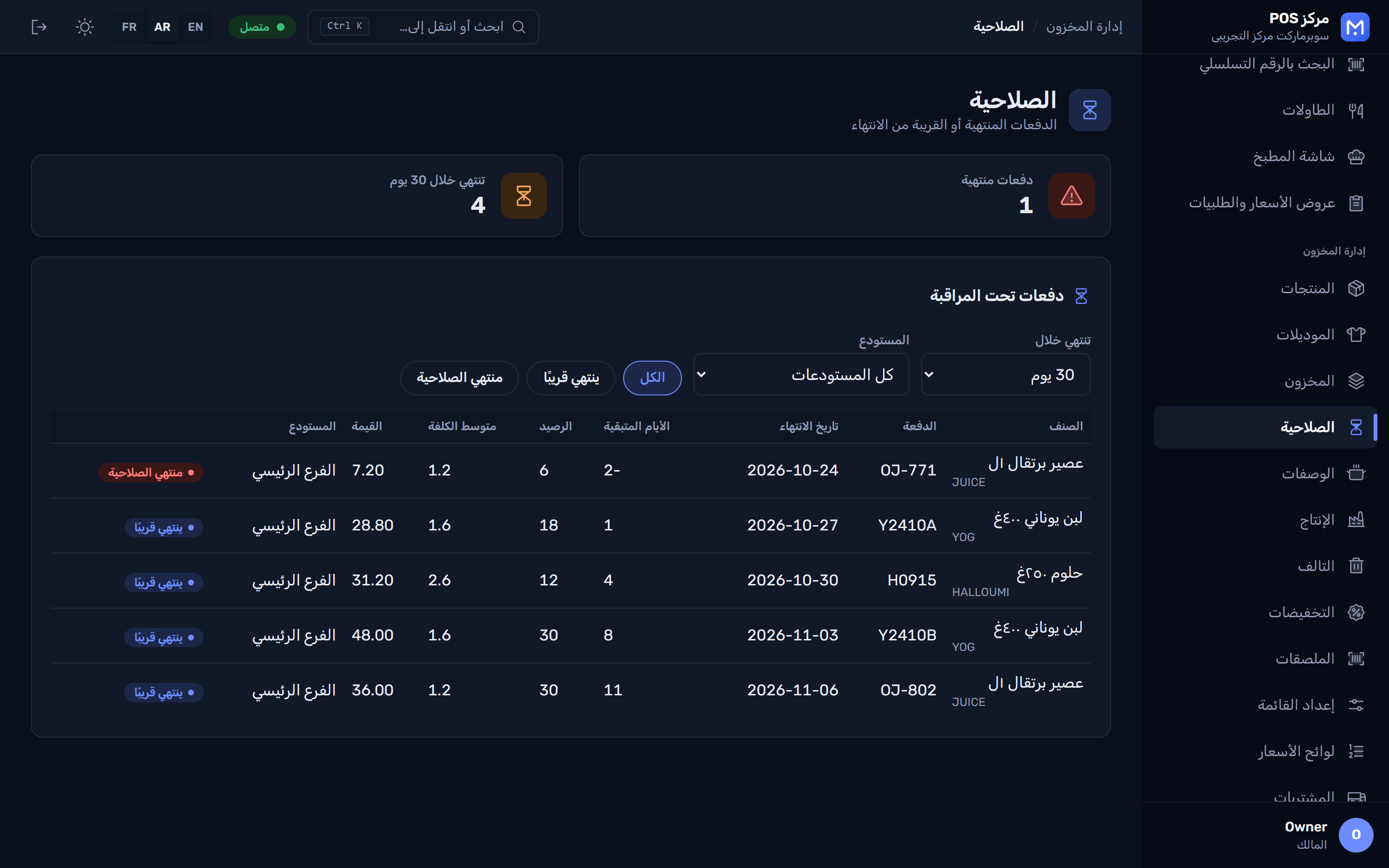
  • First-expiry-first-out at the till
  • Sell by box or by strip
  • Prescription-only items flagged
The expiry report: lots grouped by how soon they expire تقرير الصلاحية بالعربية

One style, every size and colour

Enter a style once and fill in its size and colour grid. Each variant gets its own barcode, price and stock.
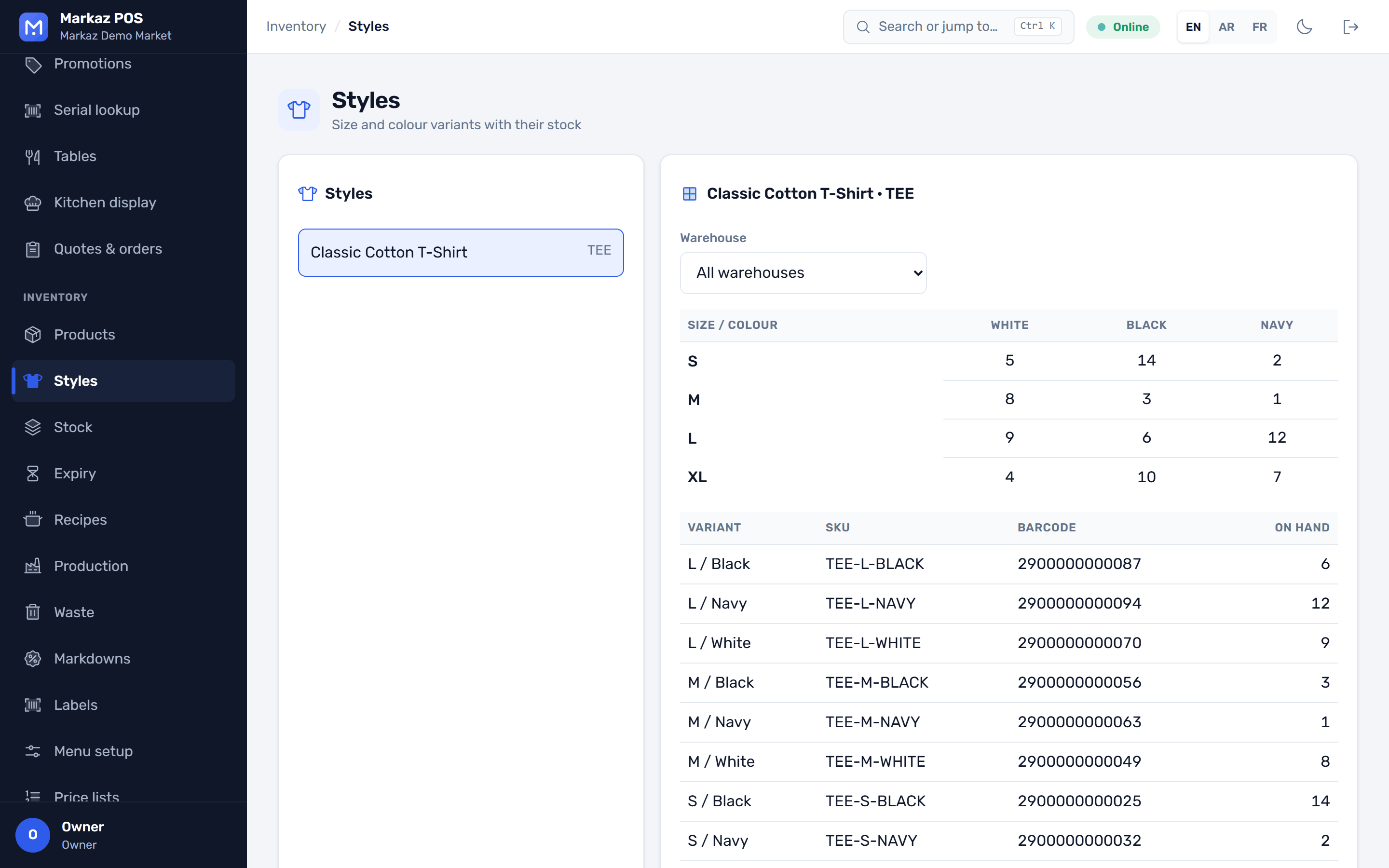
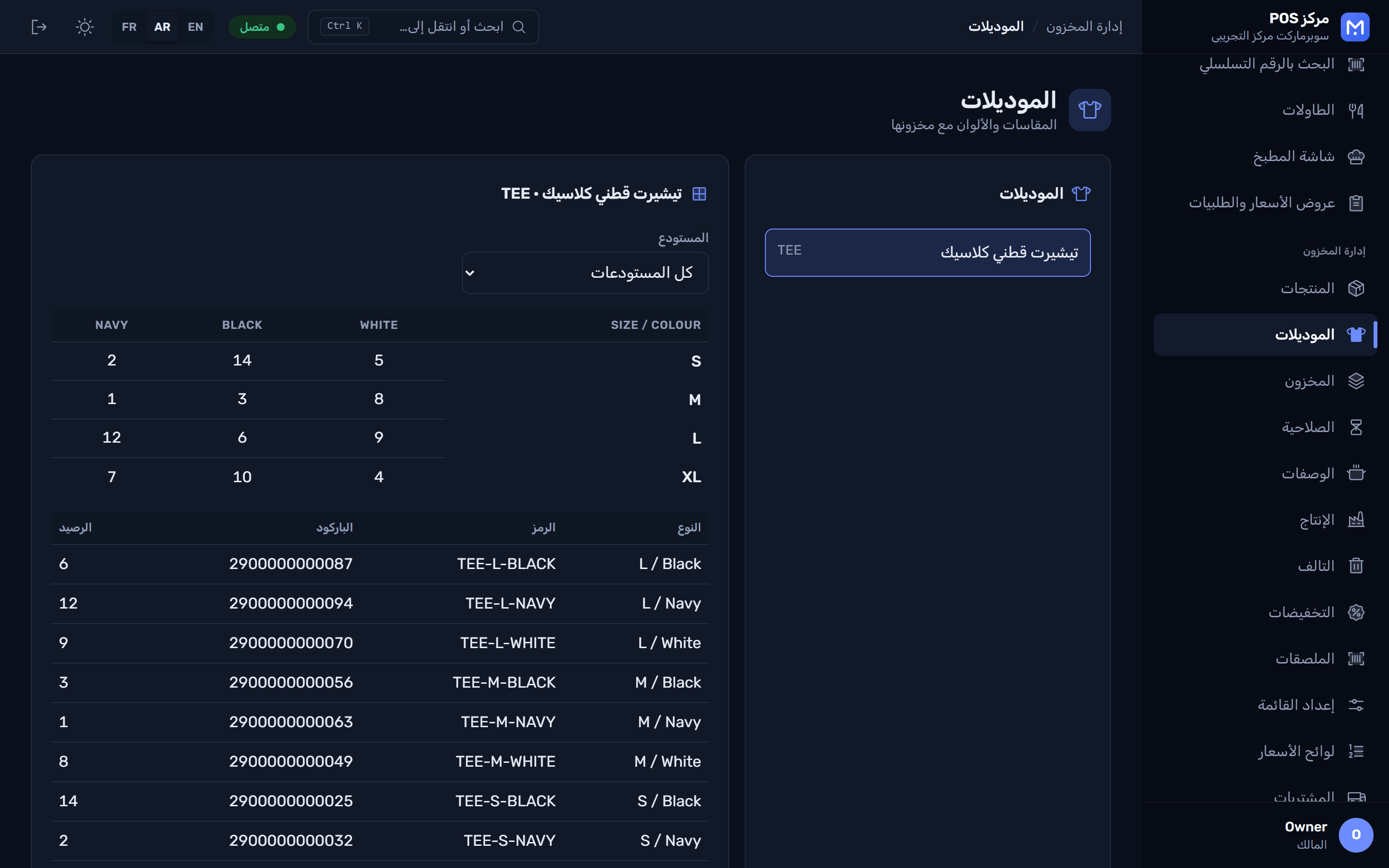
  • Size and colour matrix
  • A barcode for every variant
  • Stock per variant and branch
A style with its size and colour grid and the stock in each cell مصفوفة المقاسات والألوان بالعربية

Every serial, every warranty

Scan the IMEI or serial number when you sell. Later, look it up to see who bought it, when, and whether the warranty still runs.
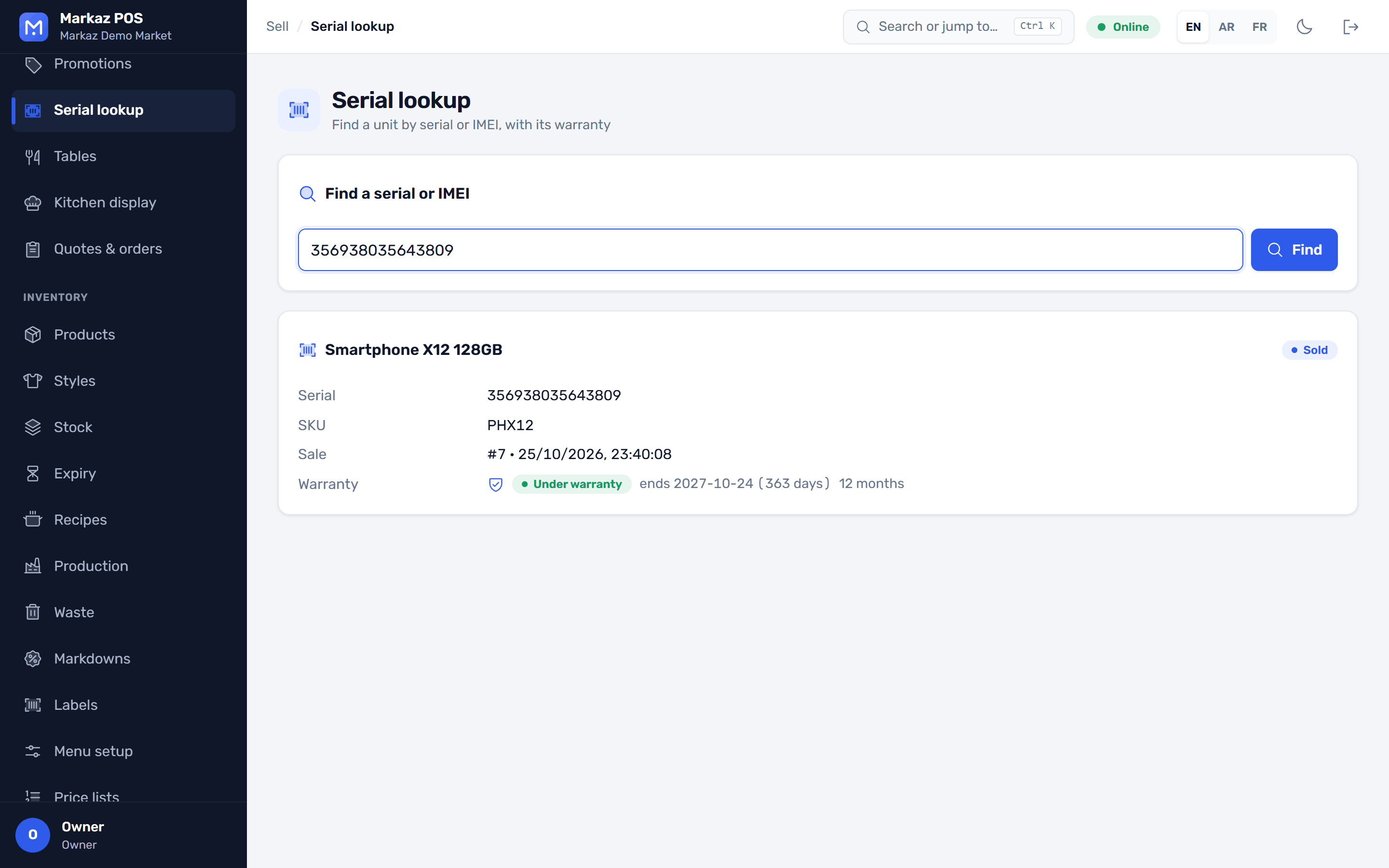
  • Serial or IMEI per unit
  • Warranty lookup by serial or receipt
  • Bulk serial entry when receiving
Serial lookup: the sale, the customer and the warranty status for one IMEI

Floor, orders and kitchen

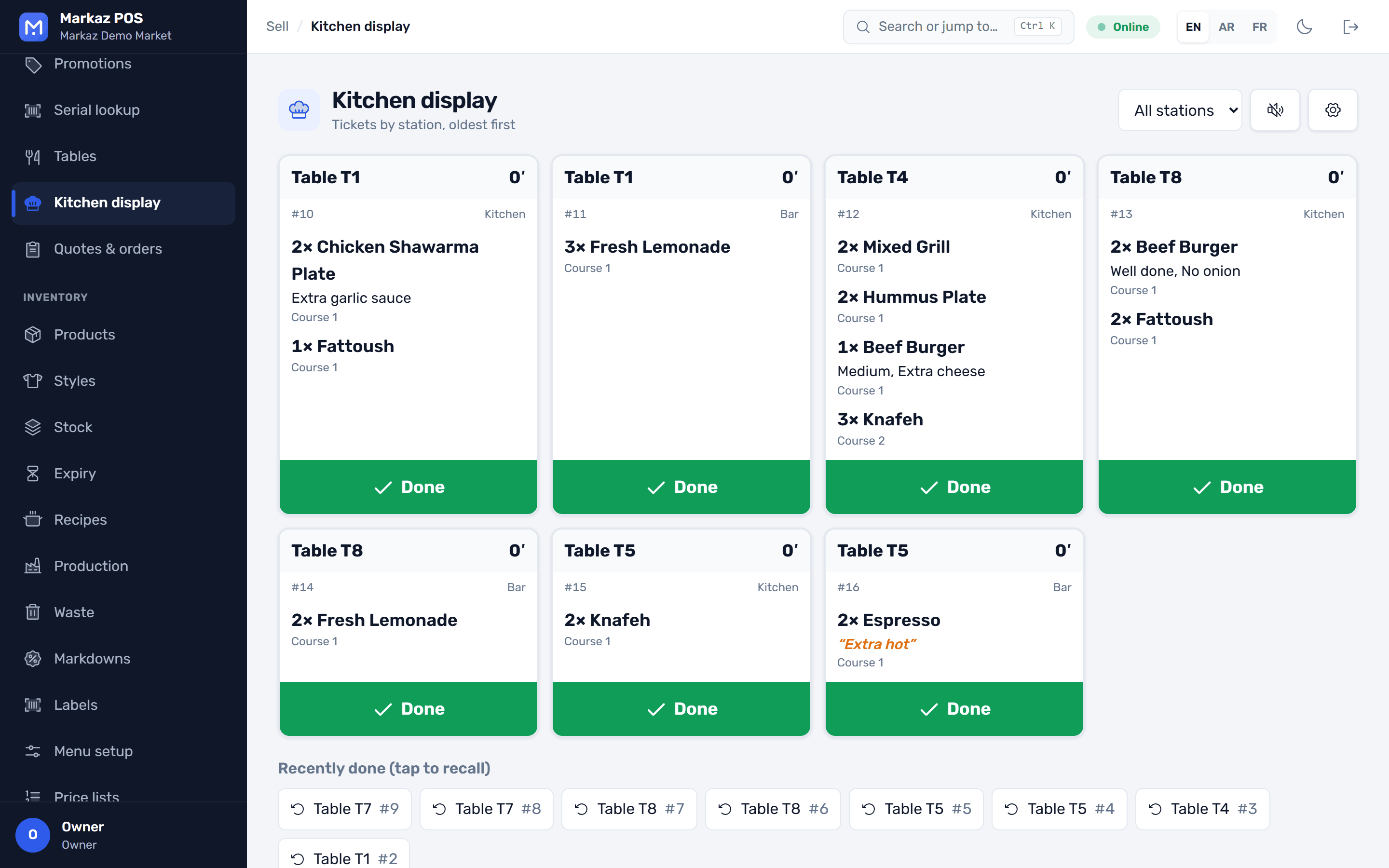
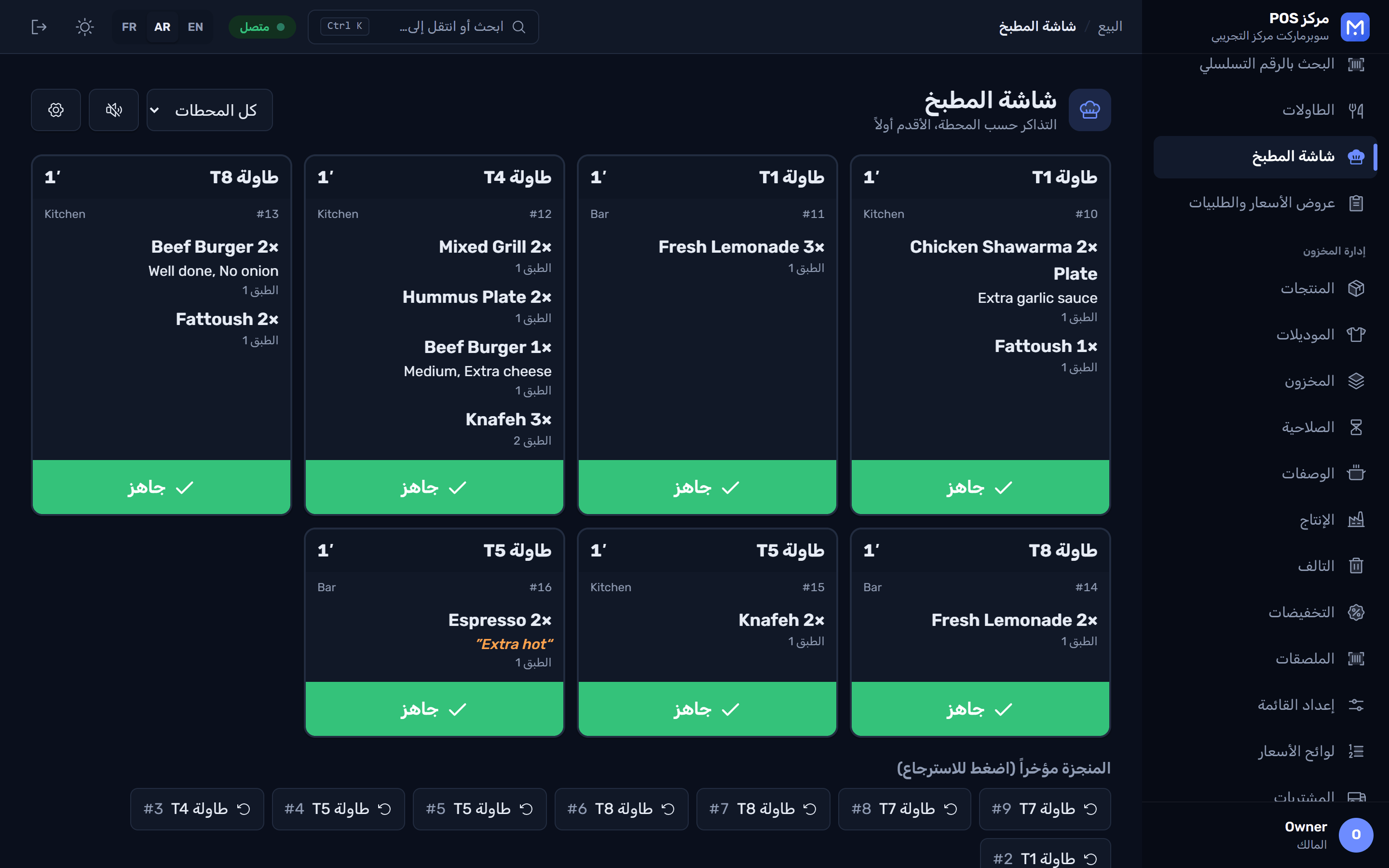
Open a table from the floor plan, add modifiers, send the order to the kitchen display, and split the bill when it is time to pay.
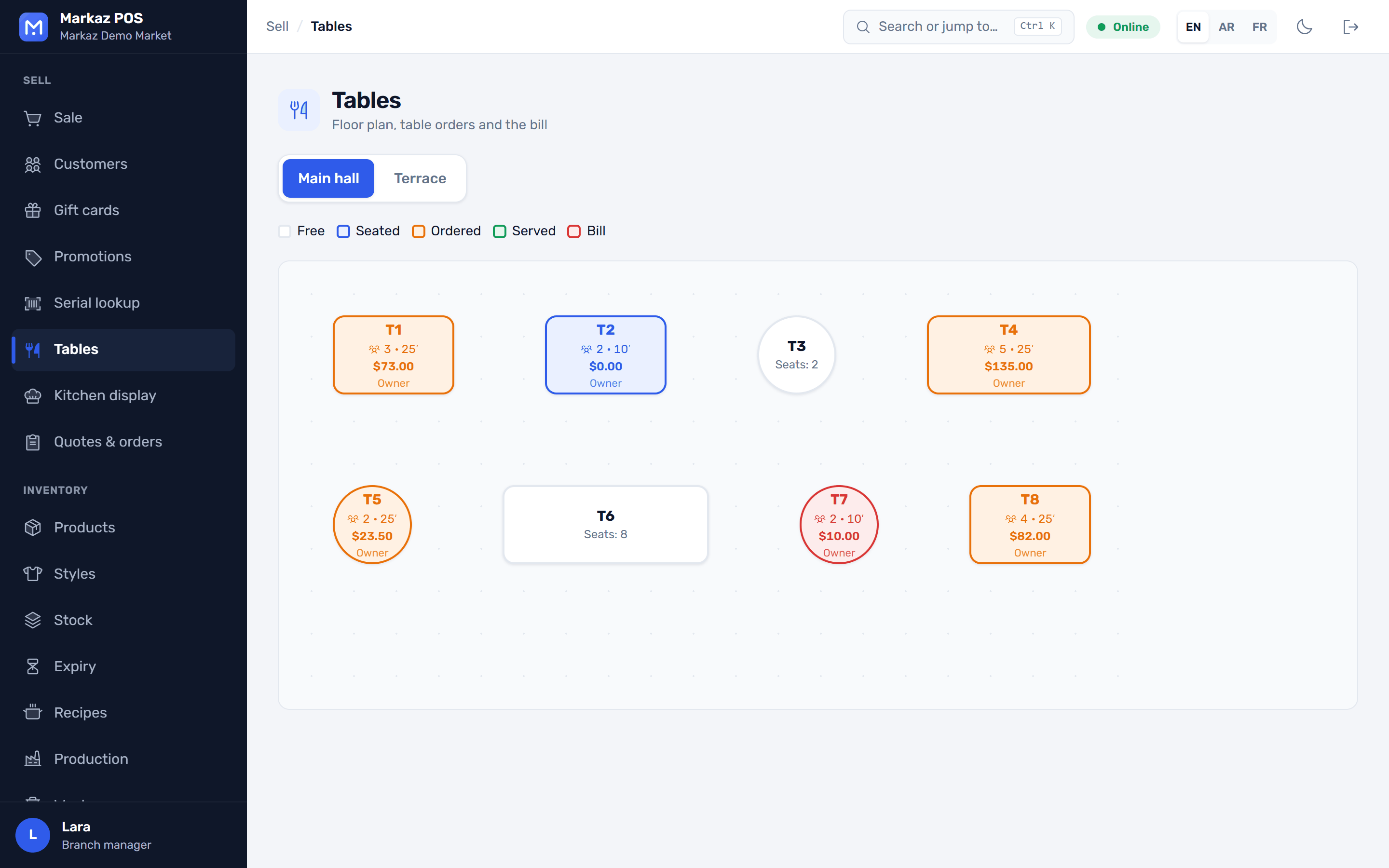
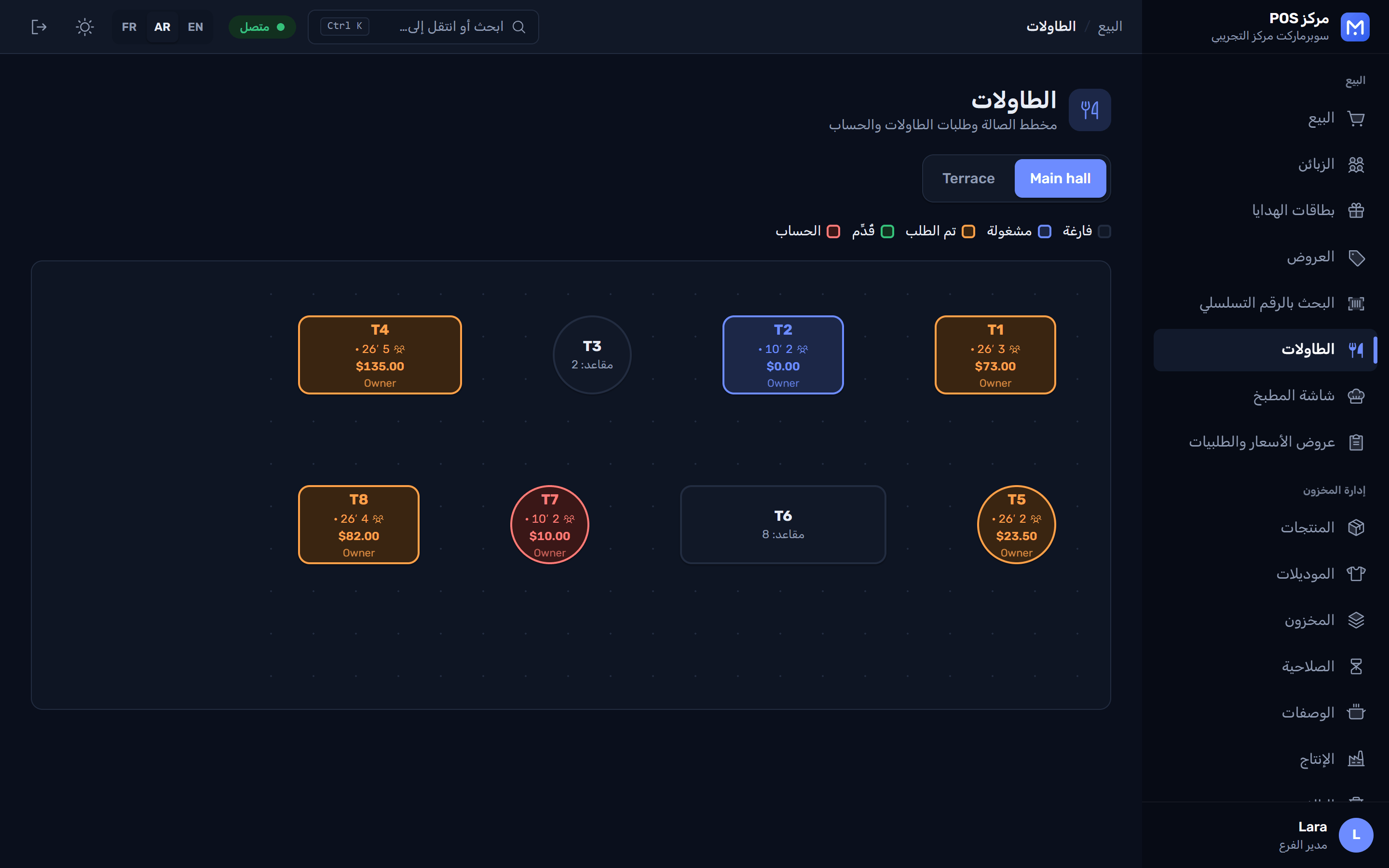
  • Floor plan with table status
  • Kitchen display by station
  • Waiter app on the phone
The floor plan with free, busy and billed tables مخطط الصالة بالعربية
The kitchen display with orders and their items شاشة المطبخ بالعربية

Credit customers and quotes

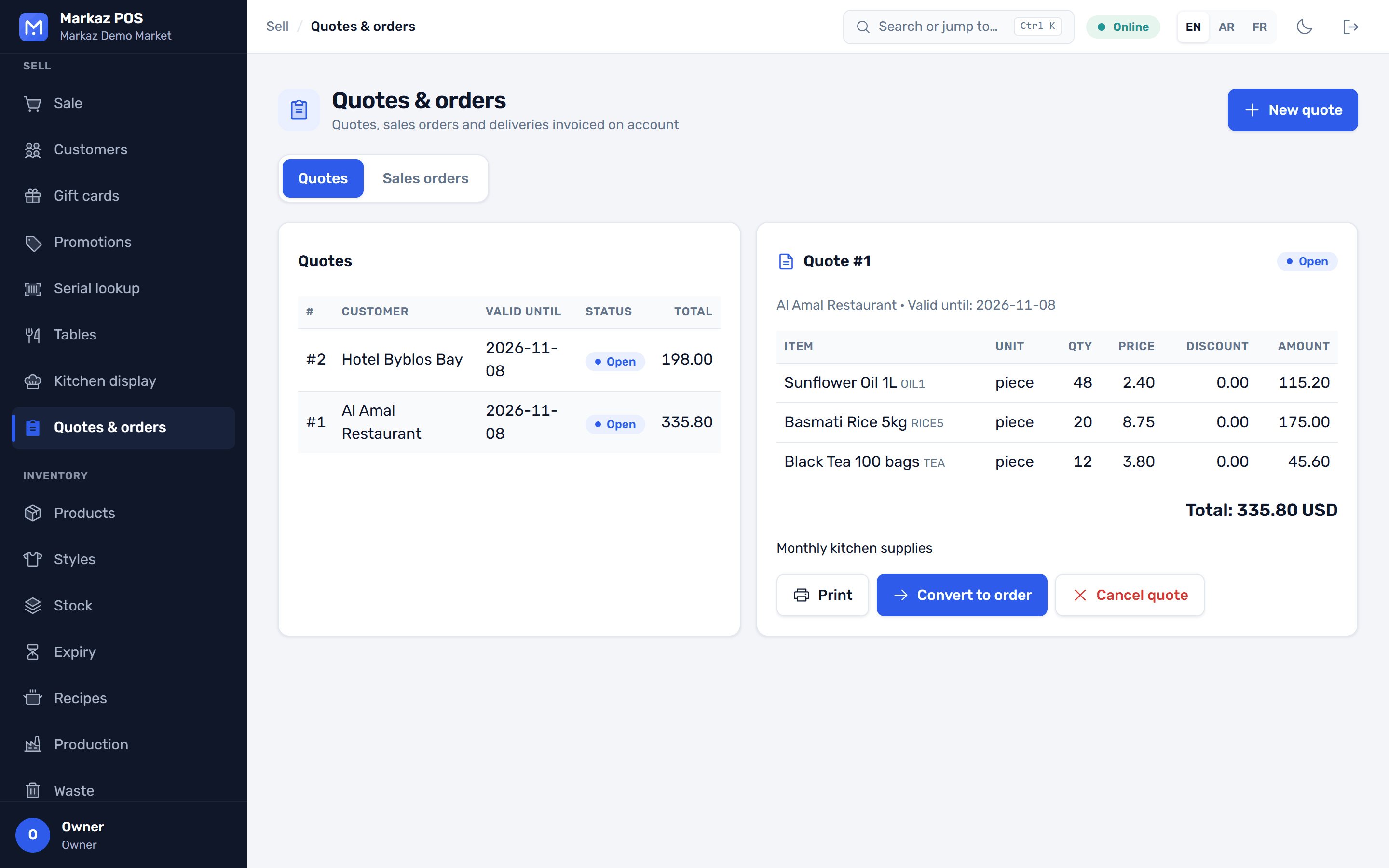
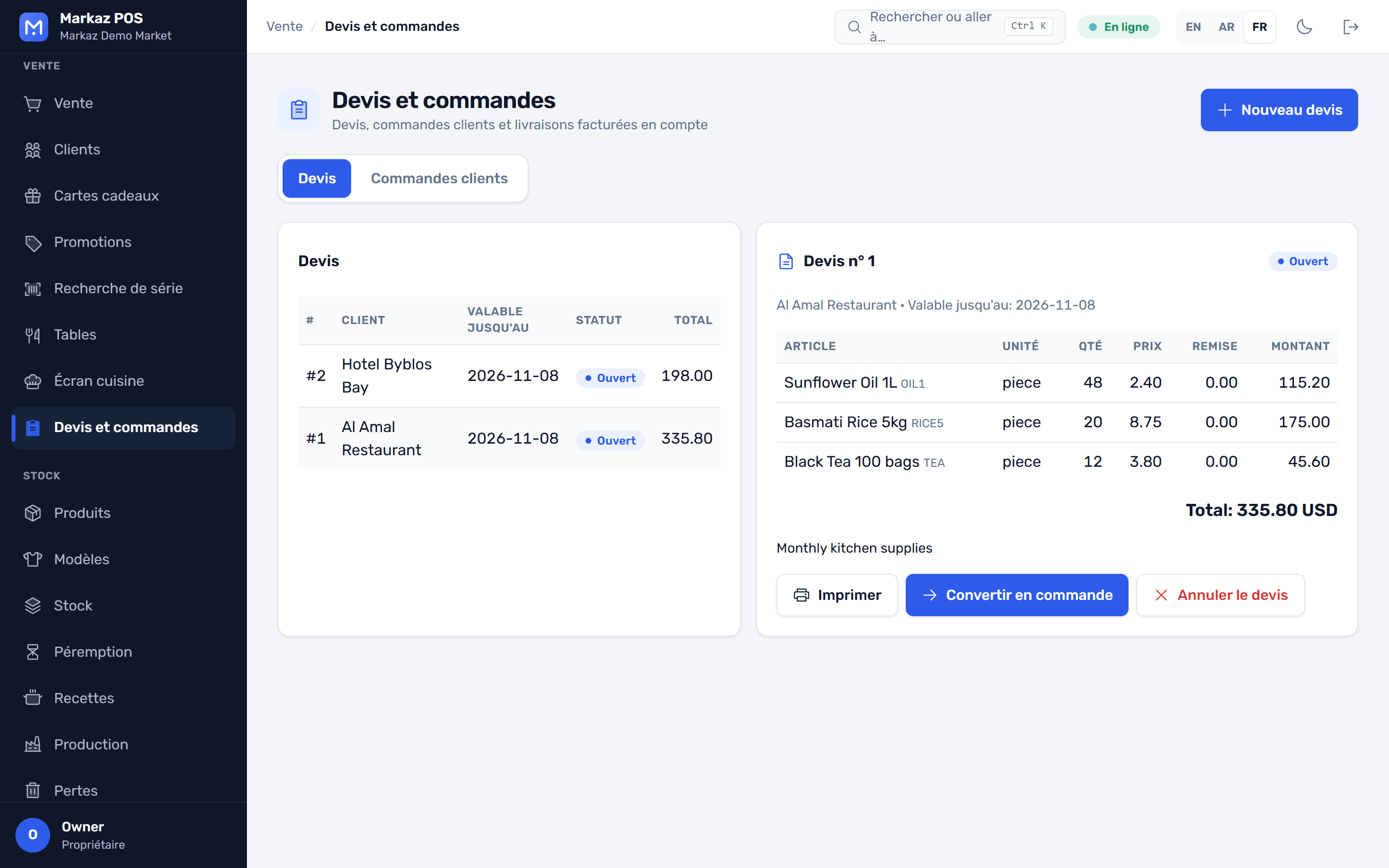
Customer accounts with credit limits and statements, and quotes that turn into sales orders and deliveries.
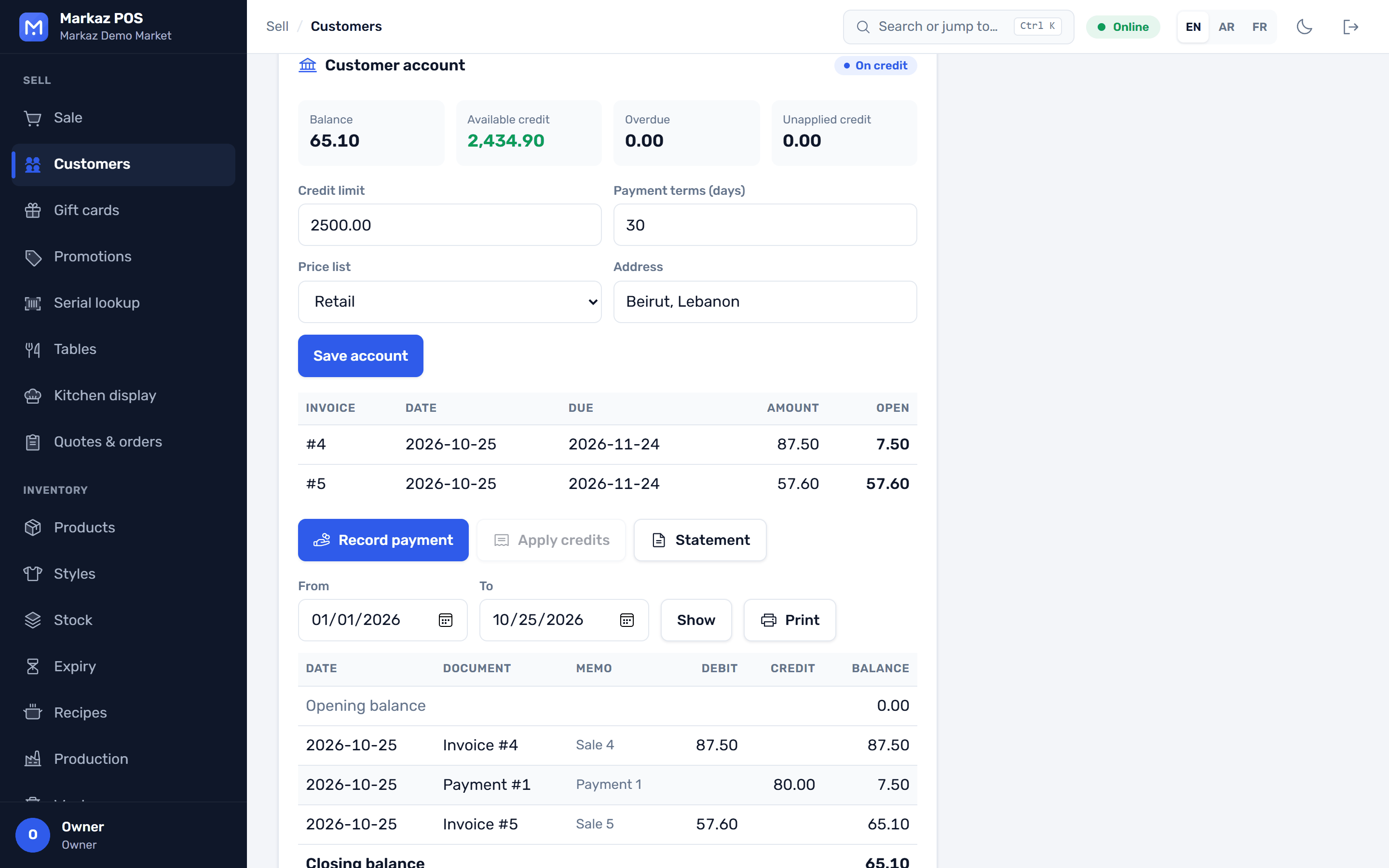
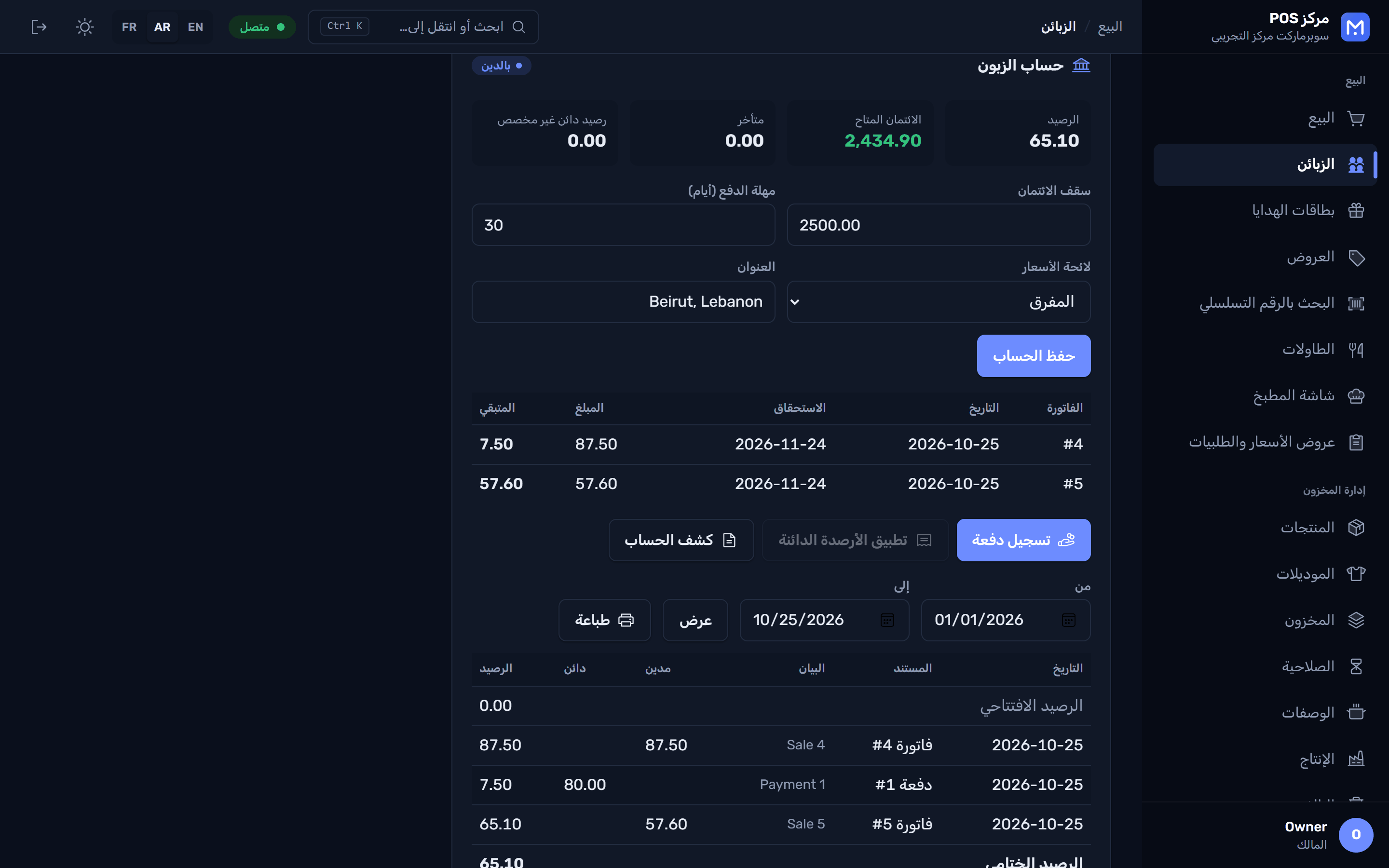
  • Credit limits and statements
  • Receivables aging
  • Quotes, then orders, then deliveries
A customer account with credit limit, balance and statement حساب زبون بالعربية
A quote ready to send to the customer Un devis en français عرض سعر جاهز للإرسال إلى الزبون

Recipes, production and labels

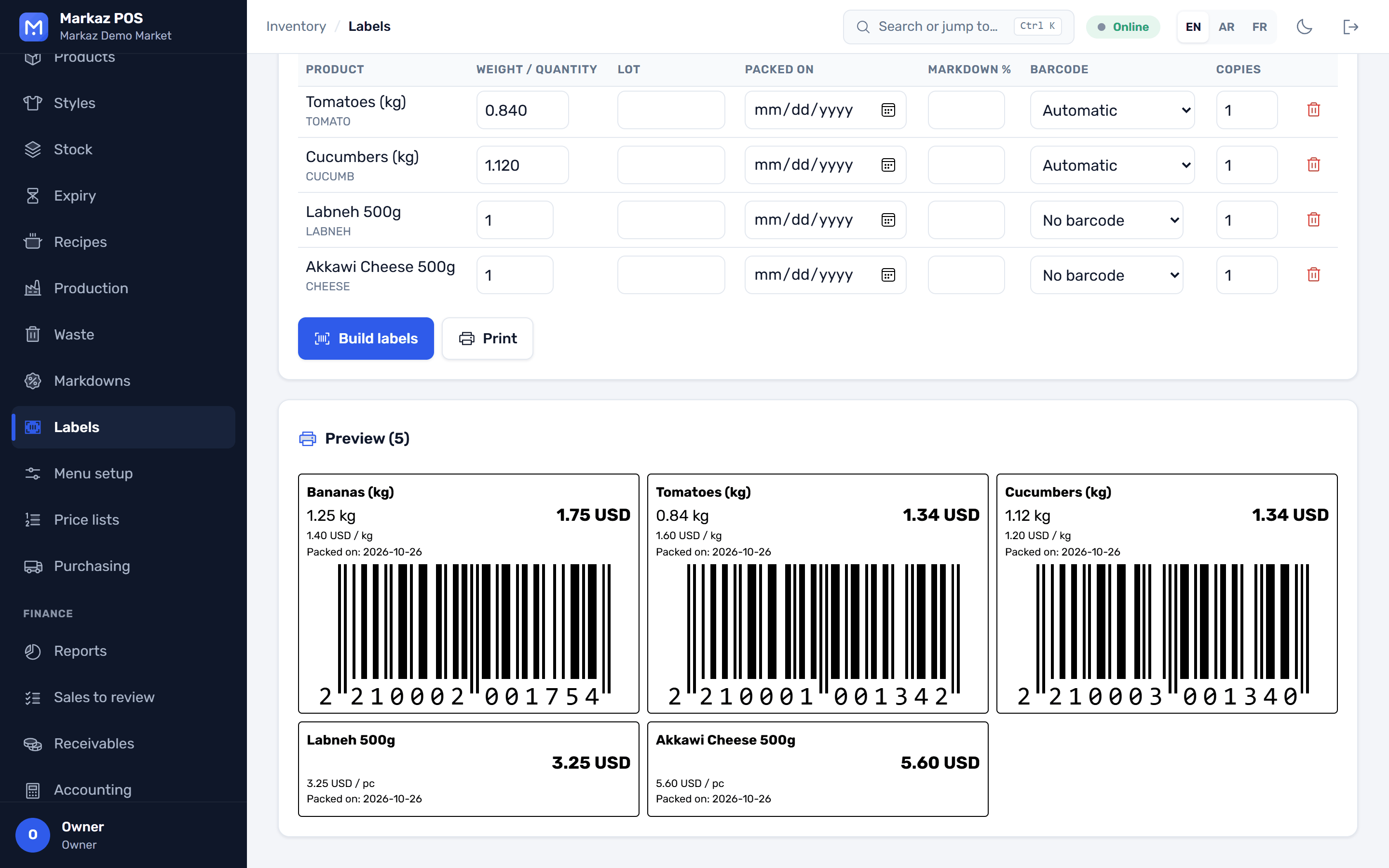
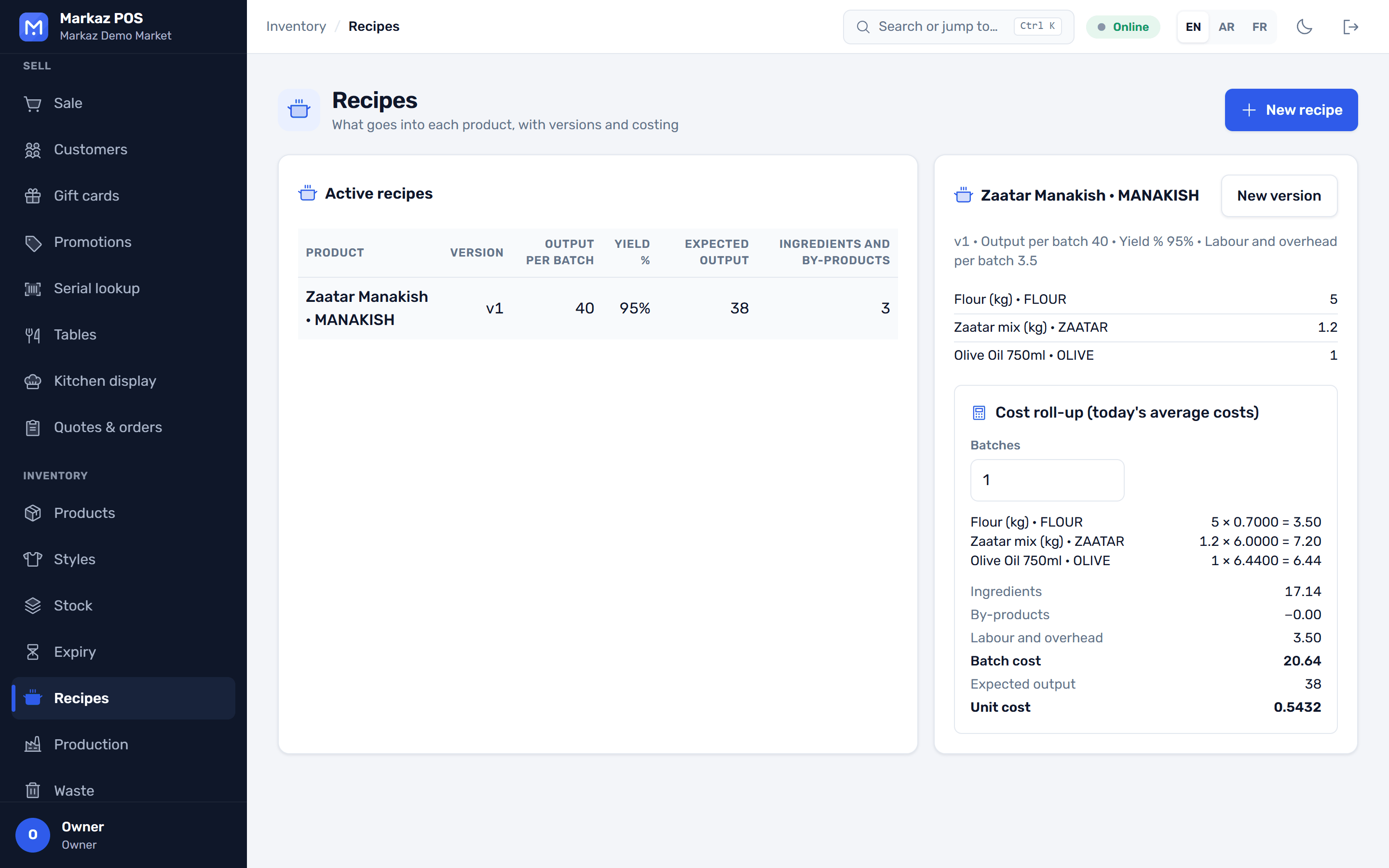
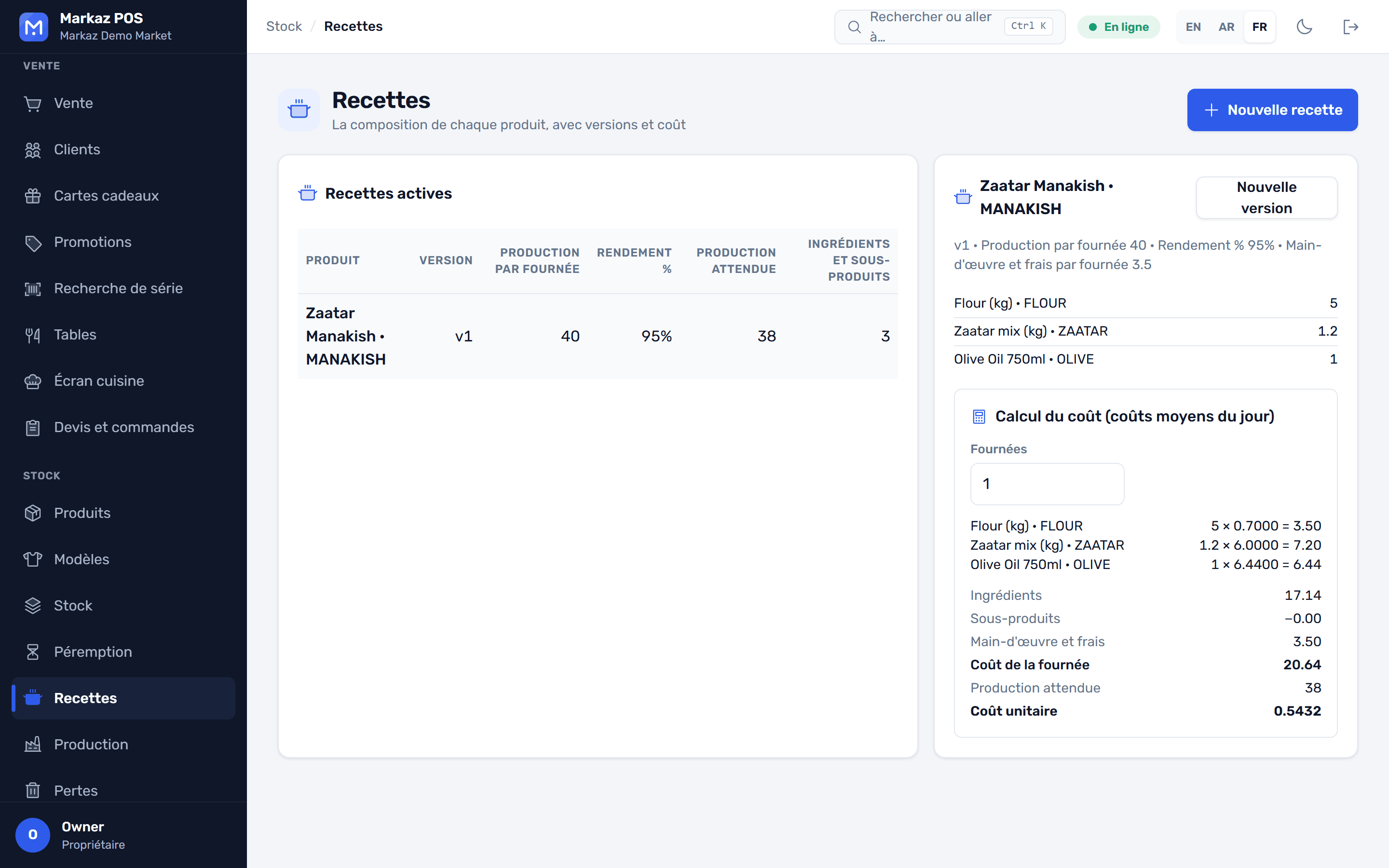
Recipes with yields, production runs that use up the ingredients, and labels with weight, price and dates.
  • Recipes and yields
  • Production runs update the stock
  • Shelf and scale labels
A recipe with ingredients, yield and cost per unit Une recette en français وصفة مع المكوّنات والمردود
Labels with weight, price and dates, ready to print ملصقات بالوزن والسعر والتواريخ
Trial and license

Try it for a week. Activate once. Work offline.

Install and start the trial

Run the installer; it needs no administrator rights. A short wizard sets up your business, branch and owner account. The 7-day trial has every feature and needs no internet.

Paste your license key

When you're ready, paste the 200-character key from your provider, during setup or later under Administration → License. Activation needs the internet once.

Run offline from then on

After activation the store works with no internet. One key covers one PC, and your provider can move it to a new PC.

Selling never stops because of the license. When a license ends there is a grace period, and after it only adding users and branches is blocked. Your data is never locked.
Editions

Sized to your business

Every edition is the same app. Your license key sets the users, branches and tills, and whether the AI assistant is included.

Trial

Try everything on one PC

Free for 7 days
  • All features
  • No internet needed
Download

Starter

Mini-markets and single shops

Contact us
  • One till
  • Logo and preset themes
Talk to us

Pro

A supermarket or busy store

Contact us
  • Several tills on a store network
  • Brand colours and receipt text
Talk to us

Business

Large stores and several branches

Contact us
  • Several branches and warehouses
  • AI assistant included in the key
Talk to us

Enterprise

Chains and distributors

Contact us
  • No limits on users, branches or tills
  • Cloud for chains (coming soon)
Talk to us

Monthly, yearly and perpetual licenses are available. The exact limits are written into your key.

FAQ

Questions store owners ask

Something else on your mind? Talk to us and we'll answer it.

Do I need the internet?

Not for daily work. A one-PC store runs with no internet at all. You need it once to activate a license key, and to fetch live exchange rates if you want them.

Can I run several tills?

Yes. One PC acts as the store server and every till connects to it over your local network. Each till keeps selling if the server drops.

Can I take several currencies in one sale?

Yes. The till shows the total in your main and second currency, takes cash in both in the same sale, and gives change in either. You choose your main currency at setup.

What happens when my trial or license ends?

Selling continues. After a grace period you can no longer add users or branches until you activate a key. Your data is never locked.

Can I use one key on two PCs?

No. A key belongs to the first PC that activates it. Your provider can move it to a new PC, or issue a store-network license for several tills.

Where is my data kept?

On your own PC or your store server, not in someone else's cloud. The app backs it up every day and keeps the last 14 copies, and you can add a second folder such as a USB drive.

Which hardware works with it?

Barcode scanners, receipt printers including ESC/POS models, a cash drawer connected to the printer, a customer display and a weighing scale. Receipts print without a print dialog.

Is the AI assistant required?

No, it is optional. If you turn it on, it uses your own API key from Anthropic or OpenAI, so you pay your provider directly. It only sees what the signed-in user is allowed to see.

Which languages are supported?

English, Arabic and French, with a full right-to-left layout for Arabic. Each user picks their own language.

Start your 7-day trial today

Windows 10 or 11, 64-bit. Every feature included, no administrator rights and no card.

Version 0.3.1 · All versions · Windows 10/11 · 99 MB